

Convert speech to text right in your browser
Press the mic below, say a short sentence and watch the words appear in real time. The demo opens in transcript-only mode, with no translation. For long recordings or a saved transcript, AudioDich also transcribes files and offers several download formats.
Business Information
Official operator information and contact channels for AudioDich.
- Vietnamese registered name
- HỘ KINH DOANH HỘ KINH DOANH NGUYỄN LÊ TOÀN
- Household business registration No. (also the tax code)
- 035085005366
- Phone
- 0943 943 647
- Support email
- letoan_ng [at] yahoo.com.hk
How to convert speech to text with your microphone
Press the mic button in the demo, allow microphone access in your browser and speak in clear sentences. Text appears in real time; pick the language you are speaking in the selector above the box.
This mode records the original speech only and does not translate. Each demo session on this page stops after 3 minutes; create an account to keep going with your trial included time.
Convert an audio recording to text
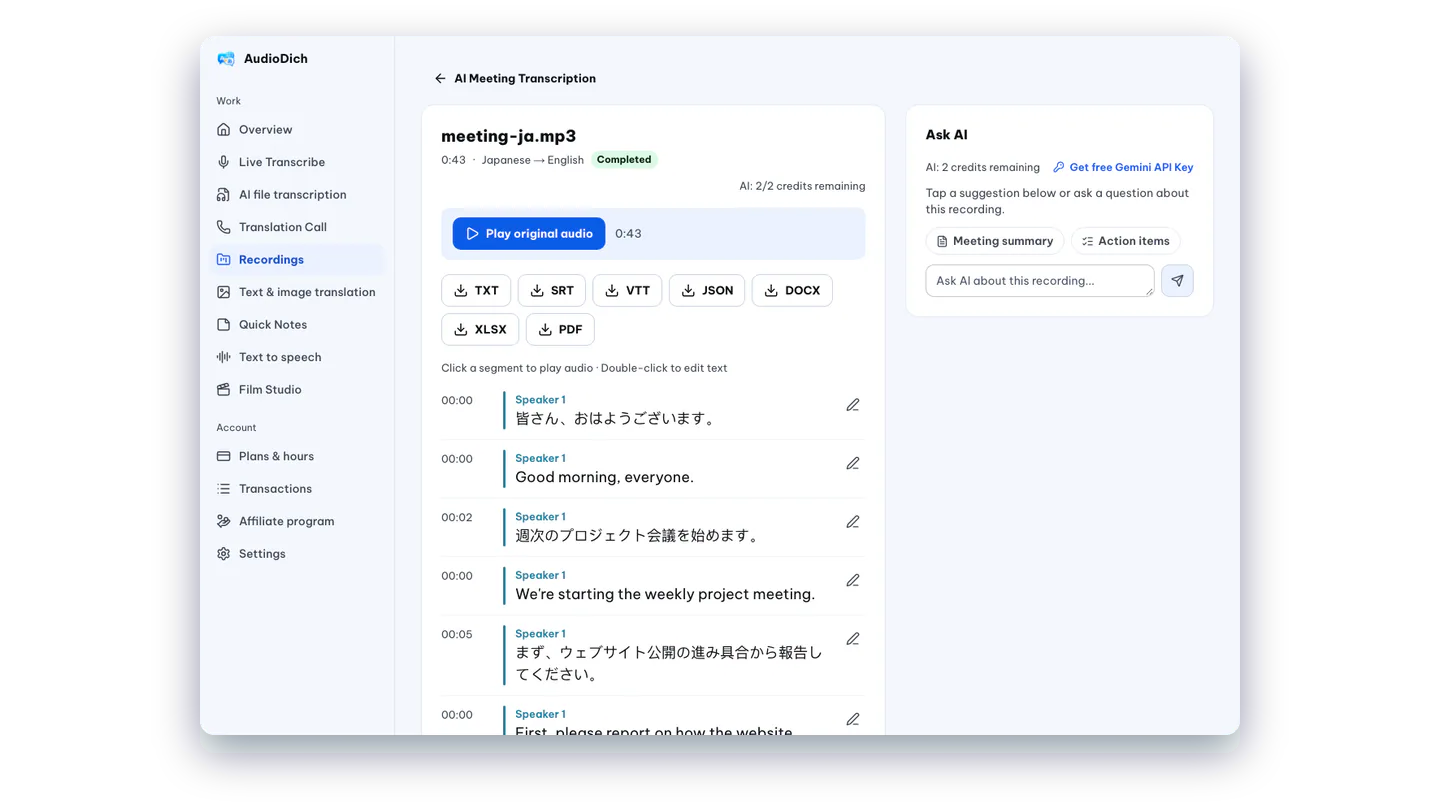
If you already have an audio or video file, use AudioDich file transcription: upload it, choose the language and get a transcript with timestamps and speaker labels. Long files are processed in the background.
When it finishes you can download TXT, SRT, VTT, JSON, DOCX, XLSX or PDF. The AI meeting transcription page walks through every step.
Supported languages and accuracy
AudioDich recognizes Vietnamese and more than 60 other languages; you choose the language before you speak. Results depend on microphone quality, background noise, speaking speed and accent, so test with your own device and content.
Proper names, figures and technical terms should be reviewed before the text is used as an official document.
When you also need translation
If the speaker uses a language other than yours, switch to the transcript plus translation mode to read the translation next to the original. For English to Vietnamese, see the English to Vietnamese voice translation page.
For online meetings or videos in the browser use the Chrome Extension; to capture all computer audio use the desktop app.
FAQ
Short answers to choose the right AudioDich process before using it in a real session.
Is speech to text on AudioDich free to try?
You can try it with your microphone right on this page; each demo session stops after 3 minutes. Create an account to continue with your trial included time, and see the pricing page for plans.
Does AudioDich recognize Vietnamese speech?
Yes. Choose Vietnamese as the spoken language to get Vietnamese text. Results depend on audio quality, so double-check names and figures.
Can I convert an audio recording file to text?
Yes. Upload an existing audio or video file in file transcription; the transcript has timestamps and speaker labels, and long files are processed in the background.
Can I download the transcript?
For file transcriptions you can download TXT, SRT, VTT, JSON, DOCX, XLSX or PDF.
Do I need to install anything?
The demo runs in your browser and only needs microphone permission. For online meetings or browser videos there is a Chrome Extension, and the desktop app can capture system-wide audio.
Start with AudioDich
Try AudioDich in a real meeting, video, or call. When you need more time, compare hourly and monthly plans.