

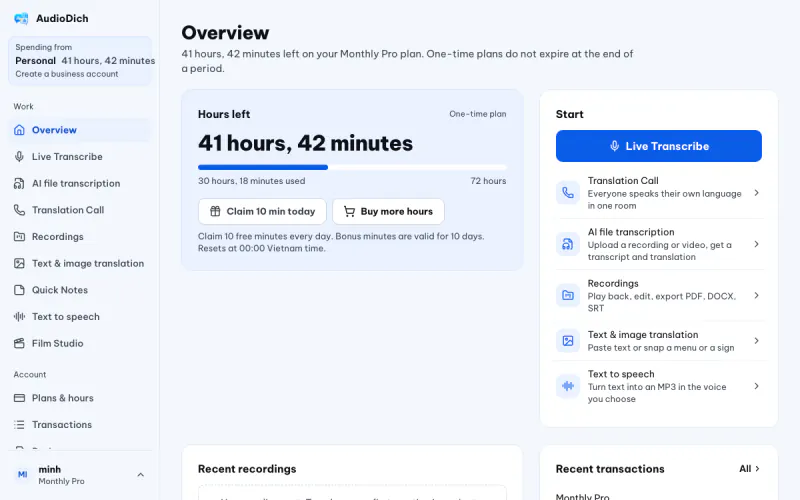
Join a meeting in another language and read it in yours.
The desktop app hears Zoom, Meet and Teams audio directly. Each speaker gets a colour, and the AI assistant notes what was decided.
Get the desktop app →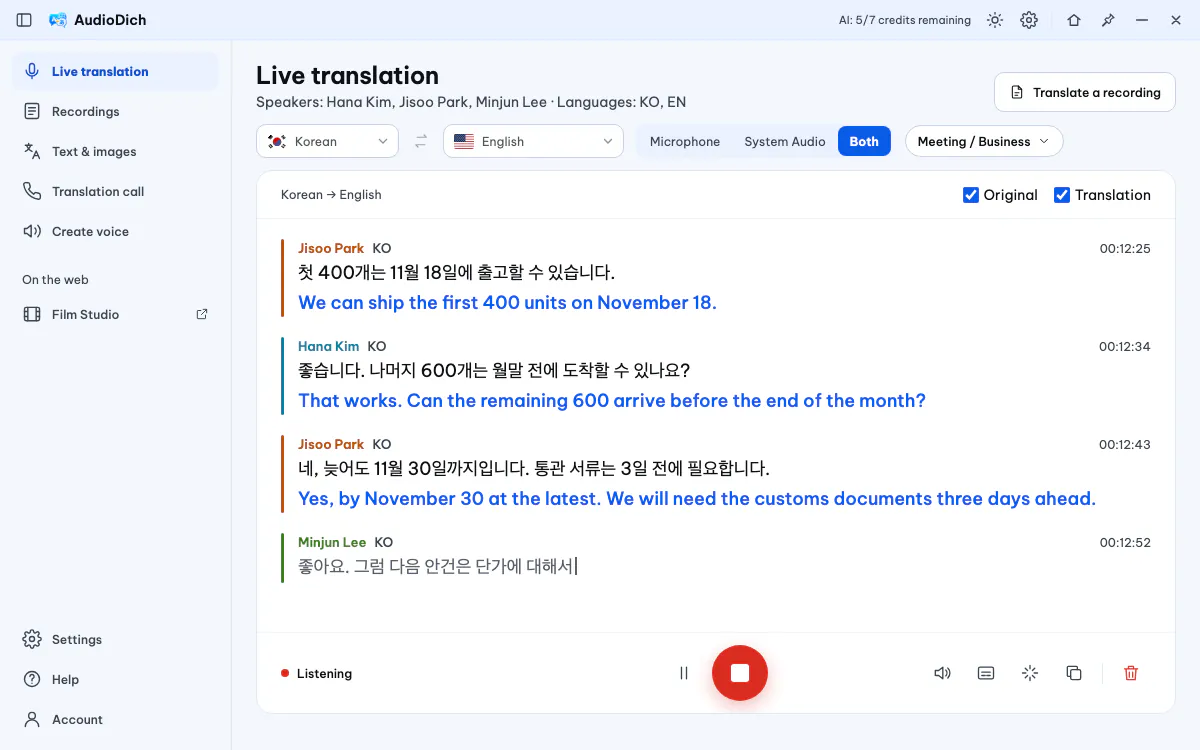
Use AudioDich through the web app, Chrome Extension, or the Windows, Android, and macOS apps without a complex integration. Follow subtitles, transcript, and translation in real time.
Press the red button and speak, or pick a sample below.
Choose a mode, pick a language pair, and speak naturally. This demo can show both the original transcript and translated output inside the same realtime session.
20 minutes on first login + 10 minutes daily
Computer, phone, tablet and browser, all on one account.
macOS and WindowsiPhone, iPadAndroidChrome and Web
The four things people do most, on the real app screens.
The desktop app hears Zoom, Meet and Teams audio directly. Each speaker gets a colour, and the AI assistant notes what was decided.
Get the desktop app →Create a room and send the code. Both people see subtitles and hear the translation read aloud.
Two-way translated calls →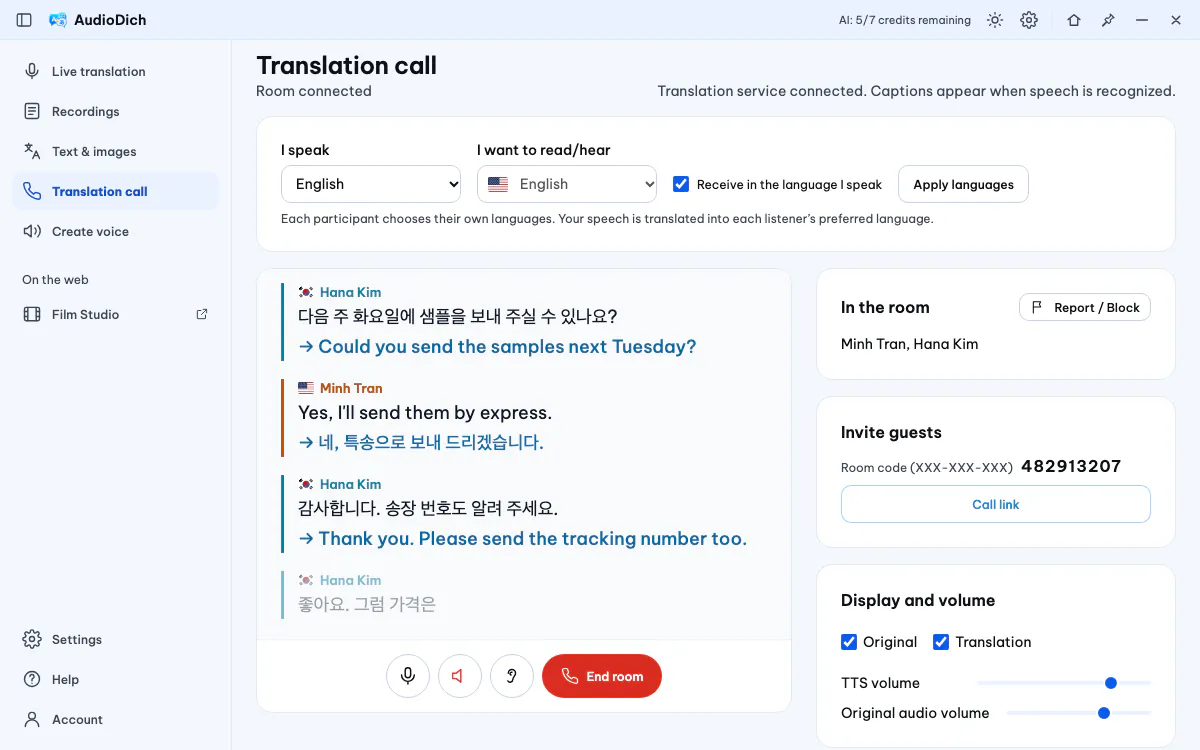
The web app listens to your microphone or tab audio, and shares hours and recordings with your other devices.
Open the web app →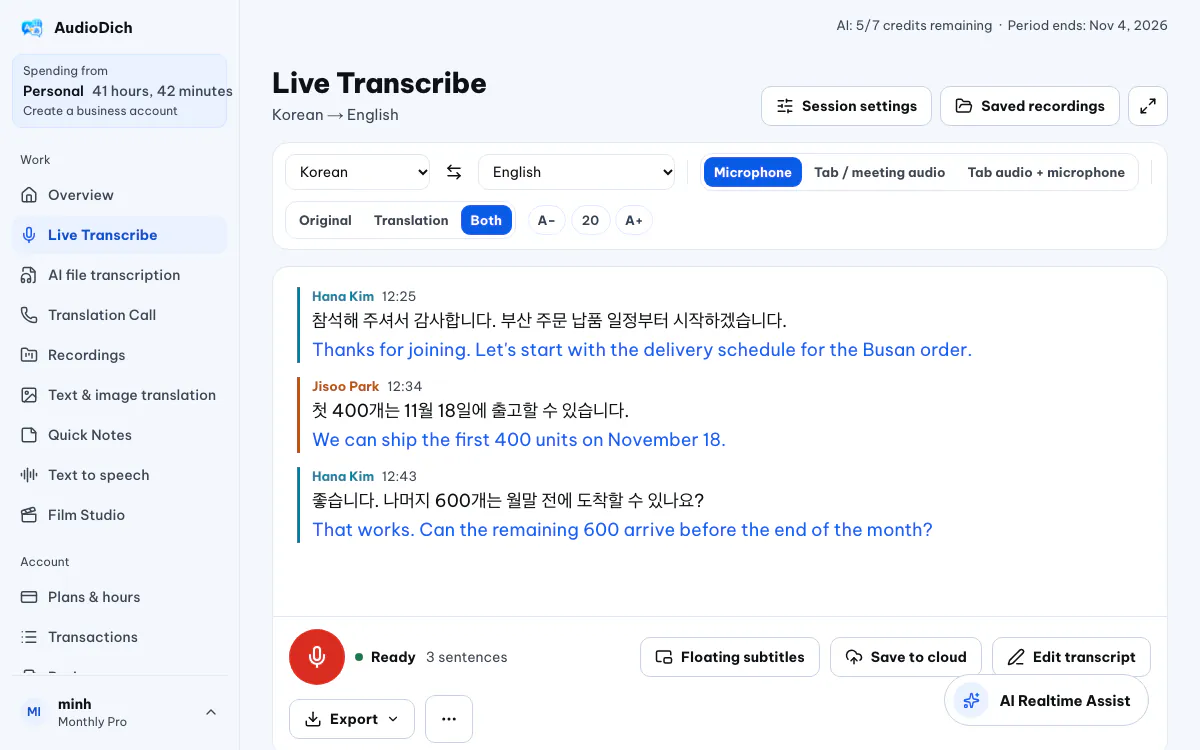
AI summary, action items and time per speaker. Export to PDF, DOCX, SRT or VTT.
Read the guide →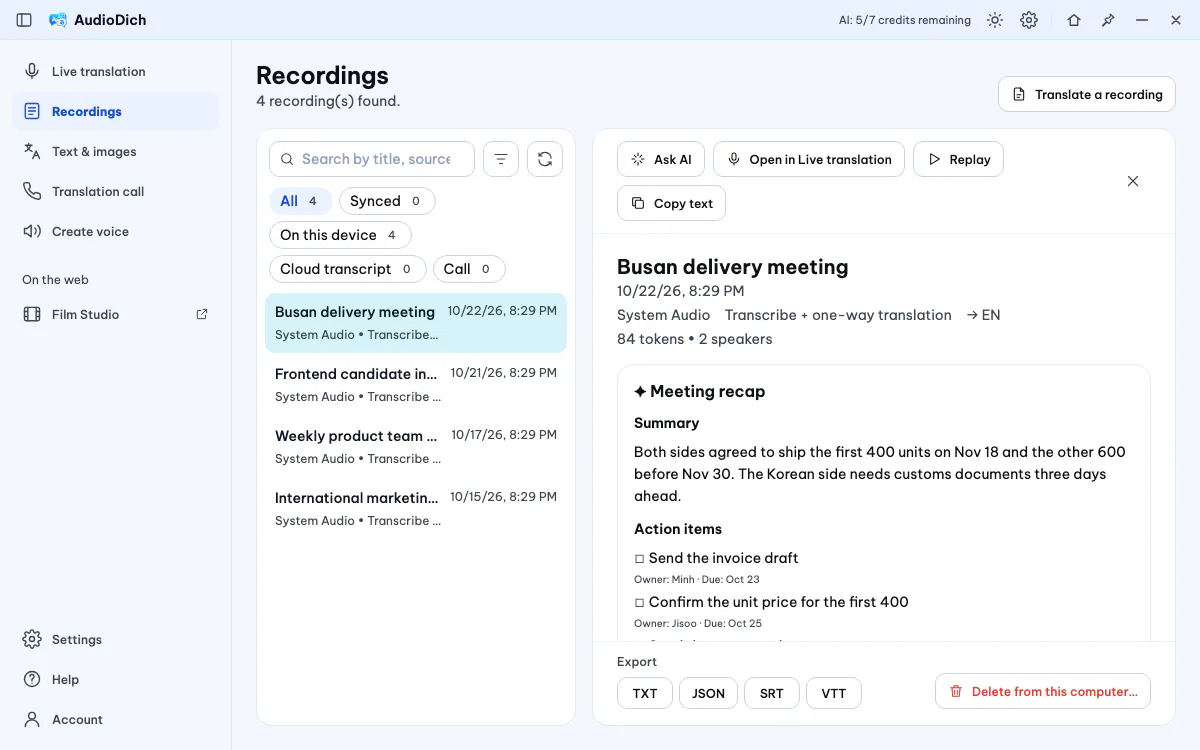
More than 60 languages. Knows who is speaking. Summarises the moment the meeting ends.
iPhone and Android apps: two-way conversation, photo translation, and recording even without a connection.
Faster to start, easier to follow, and clearer for everyday work.
The desktop app hears Zoom, Meet and Teams audio right on your computer, no speakers needed. Each speaker is named.
Learn moreEveryone speaks their own language. Both sides see subtitles and hear the translation read aloud.
Learn moreWatch films, YouTube and lectures without subtitles. Translated captions float over any window.
Learn moreSave the whole session with its audio. AI summarises it and lists action items; export PDF, DOCX, SRT, VTT.
Learn morePaste text or photograph a menu, sign or document; the translation is laid over the original in the image.
Learn moreTurn text into MP3 files with natural voices in many languages.
Learn moreTranslate speech live with sub-300ms latency, fast enough to keep the conversation natural.
Support for 60+ languages with automatic source-language detection for meetings, videos, and global communication.
Clear, stable speech recognition built for meetings, media, classes, and customer conversations.
Desktop apps capture both system audio and mic input for Zoom, Google Meet, YouTube, and other common sources.
Choose the right context for meetings, films, study, or gaming to keep translations closer to the way people actually speak.
Use the web instantly. Download desktop builds. Mobile arrives later.
Microsoft Store · 0.2.54
Apple Silicon, Intel · 0.2.58
No installation
App Store · 1.0.19
Google Play · 1.0.28
Translates tab audio · 1.1.44
Web App, Chrome Extension, Desktop, Android, and iOS are collected in one multilingual public page.
Start with a useful free tier, then choose the plan that fits longer sessions and more stable translated calls.
20 minutes on your first login · Get 10 more minutes each login day · Each daily grant expires after 10 days
2 hours of use
$2.28
$1.14 per hour
6 hours of use
$4.63
$0.77 per hour
12 hours of use
$10.12
$0.84 per hour
25 hours of use
$20.32
$0.81 per hour
20 hours for 30 days; unused hours roll over when you renew, kept up to 60 days
$16.40/ purchase
$0.82 per hour
48 hours for 30 days; unused hours roll over when you renew, kept up to 60 days
$37.57/ purchase
$0.78 per hour
72 hours for 30 days; unused hours roll over when you renew, kept up to 60 days
$55.61/ purchase
$0.77 per hour
88 hours for 30 days; unused hours roll over when you renew, kept up to 60 days
$67.38/ purchase
$0.77 per hour
Pay with PayPal. Sharing hours across a company? See Business plans
Monthly Standard · Popular
Monthly Pro · Recommended
Unlike subtitle-only tools, AudioDich lets both sides actually talk to each other.
Create a private room and send the code or link instantly. You keep speaking your own language, your client keeps speaking theirs. AudioDich listens, translates, shows subtitles, and plays translated voice inside the same call.
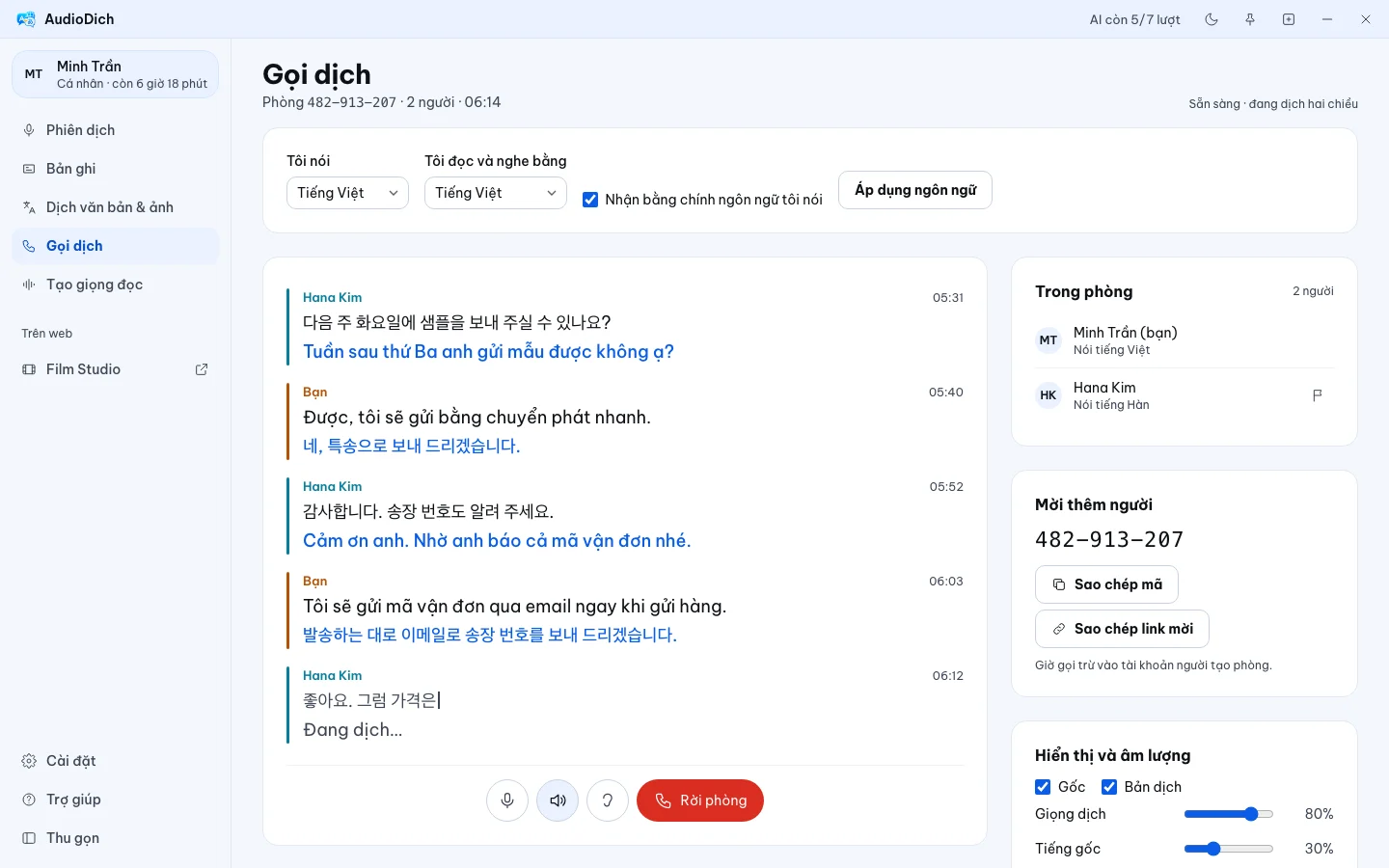
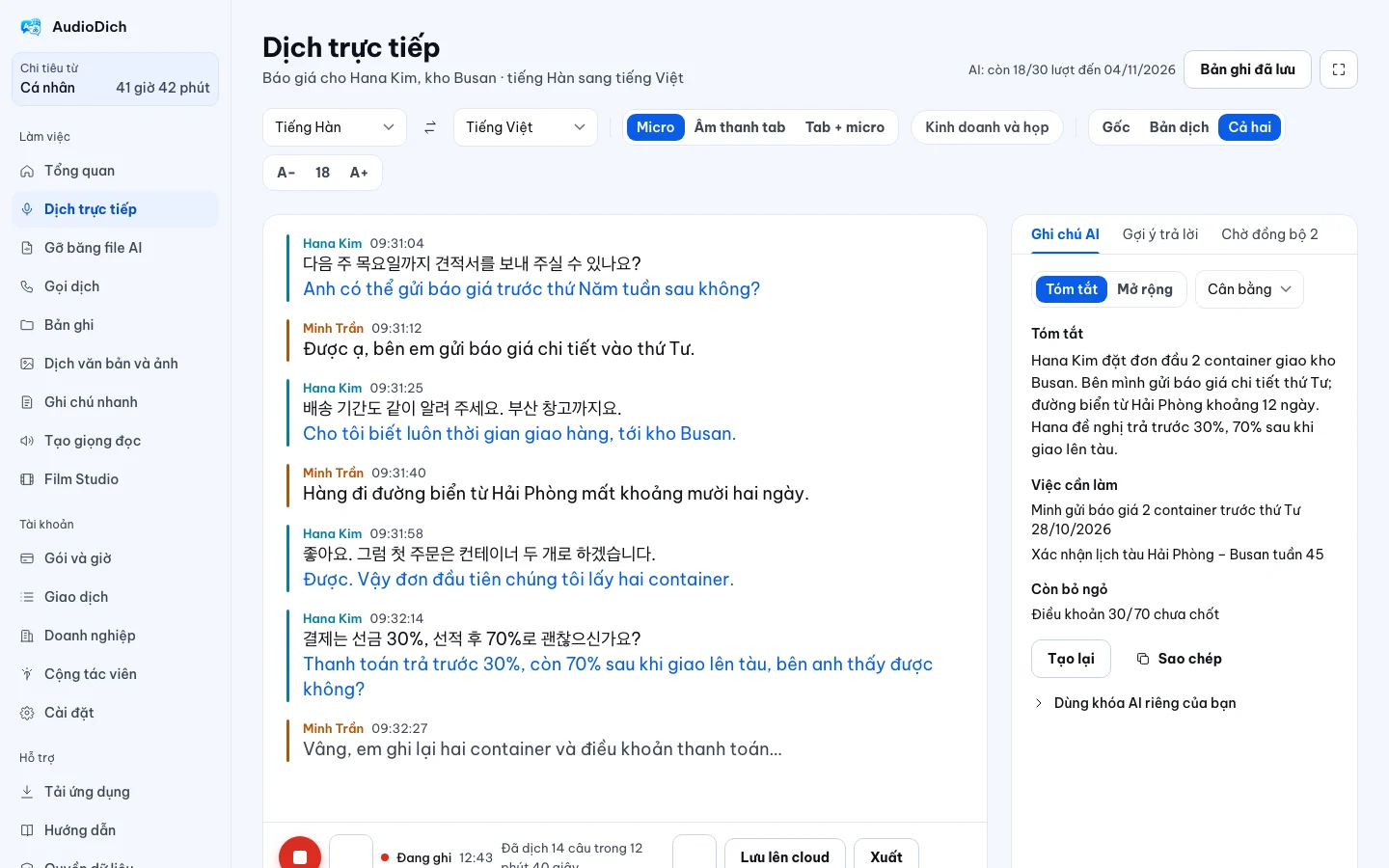
Create a private room, send the code to your guest, and let each side keep speaking naturally. AudioDich listens, translates, shows subtitles, and plays translated voice inside the same call.
No credit card required. Pay by usage. No auto-renewing subscription.
Top up only when you need more time and spend included time as you use it. No forgotten cancellations and no surprise card charges next month.
Free Local AI on Windows/macOS, with no subscription.
Run transcription and translation 100% on-device without minute deductions. Online mode remains separate and uses billing when selected.
Close global deals faster when each side speaks their own language.
No interpreter to hire. No ops team to set up the meeting. Create a private call room in seconds, send the link, and let AudioDich handle listening, translating, subtitles, and translated voice in real time.
Open the page that matches your meeting, call, webinar, video translation, or subtitle task.
Start on the web in minutes, continue seamlessly on desktop, and expand into call rooms as your workload grows.
View pricingNo integration needed. Enable the Chrome Extension and translate Zoom, Meet, Teams instantly — 20 minutes on first login + 10 minutes daily.
Sign up in seconds, no credit card required.
Works directly in your browser, nothing extra to install.
Transcript and translation appear in real time as people speak.
Share the link — guests join without an account.
Compliant with digital commerce and personal data protection regulations. Committed to transparency, secure payments, and privacy for every customer.
20 free minutes when you sign up, plus 10 more every day.