

Translate two-way calls so each side speaks their own language
A two-way call is harder than one-way subtitles because both sides need to understand and answer. In an AudioDich call room, each person speaks the language they know and reads the other person's translation in real time; you create a room, send a link, and the guest joins with no account.
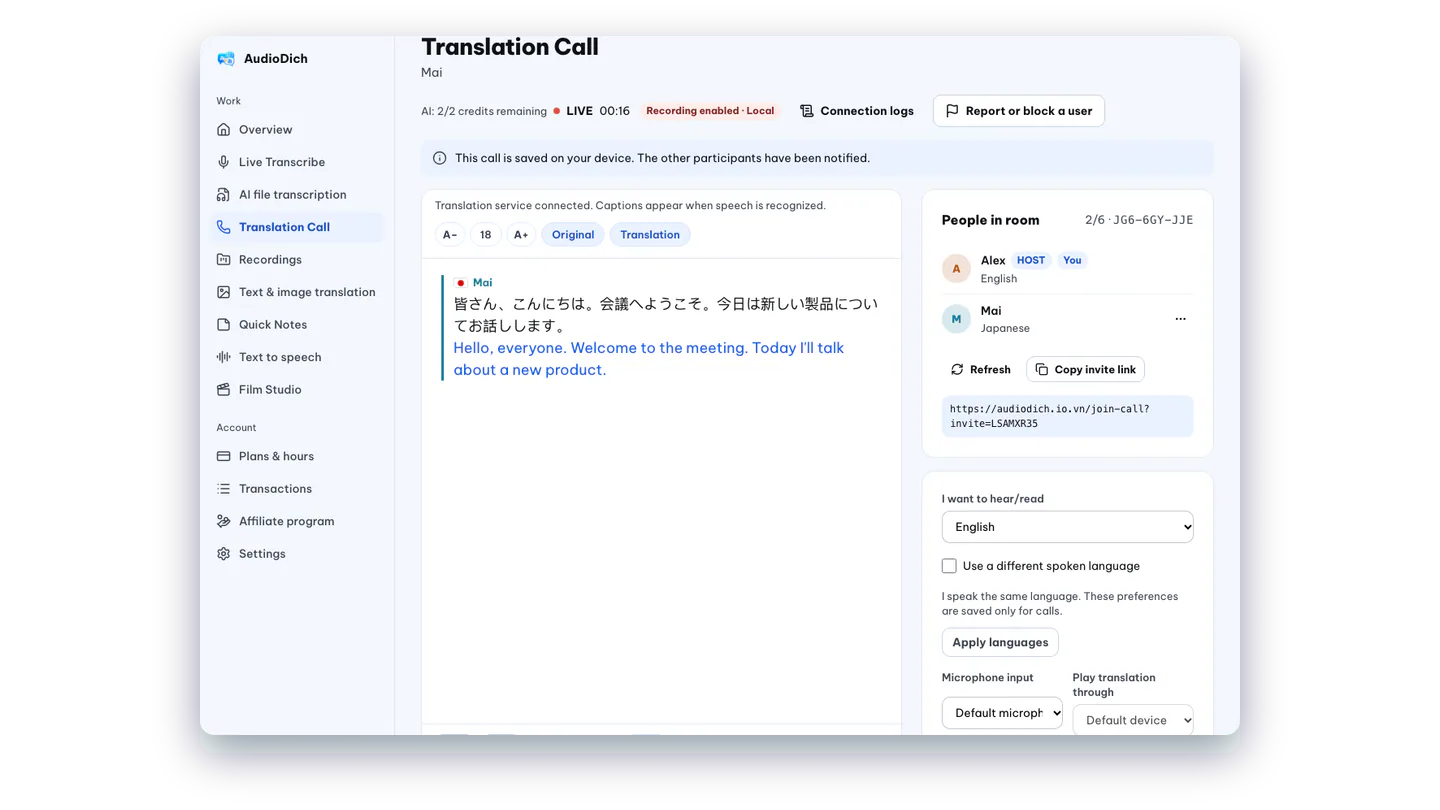
Challenges of a two-way call across languages
Typing every sentence into a translation app breaks the rhythm
A call needs instant replies: a customer asks the price, support asks about an error, a partner confirms a time. Stopping to type and paste each sentence makes the call stop and start.
One side has to speak a language they are not fluent in
When one side has to use a weak foreign language, they speak briefly, ask little and misunderstand easily. Both sides would rather speak their mother tongue.
Important details are not on record
Prices, appointment dates, addresses or service terms easily get mixed up when you only listen. You need text to check against after the call.
How a two-way call works in AudioDich
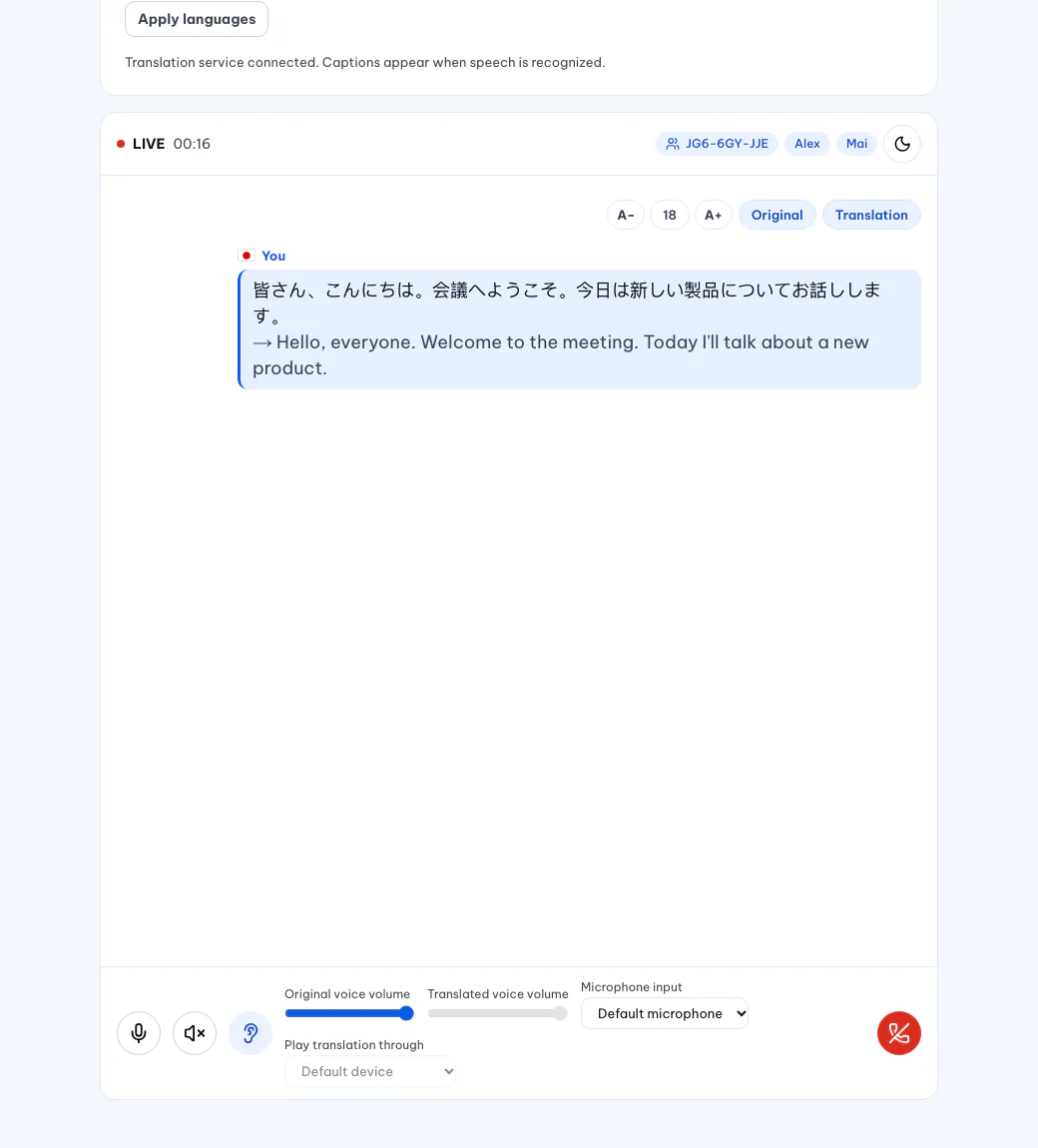
Four steps, each one a real screenshot from an AudioDich call room with two browsers and real voices. The guest joins by link, no account needed.
- Step 1
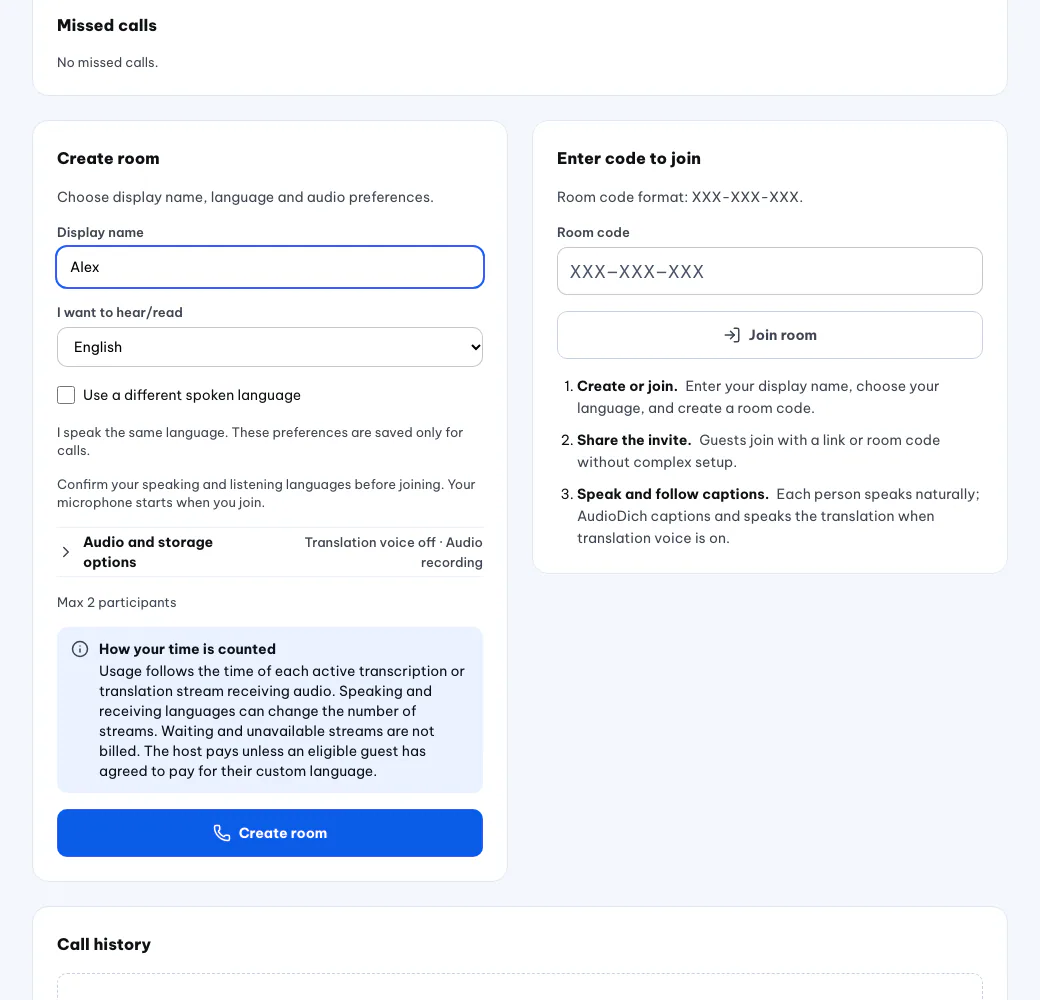
The host creates a room and chooses their language
Open Translation Call, type a display name, choose the language you speak and read, then press Create room. A free room holds up to 2 people; paid plans up to 6.
- Step 2
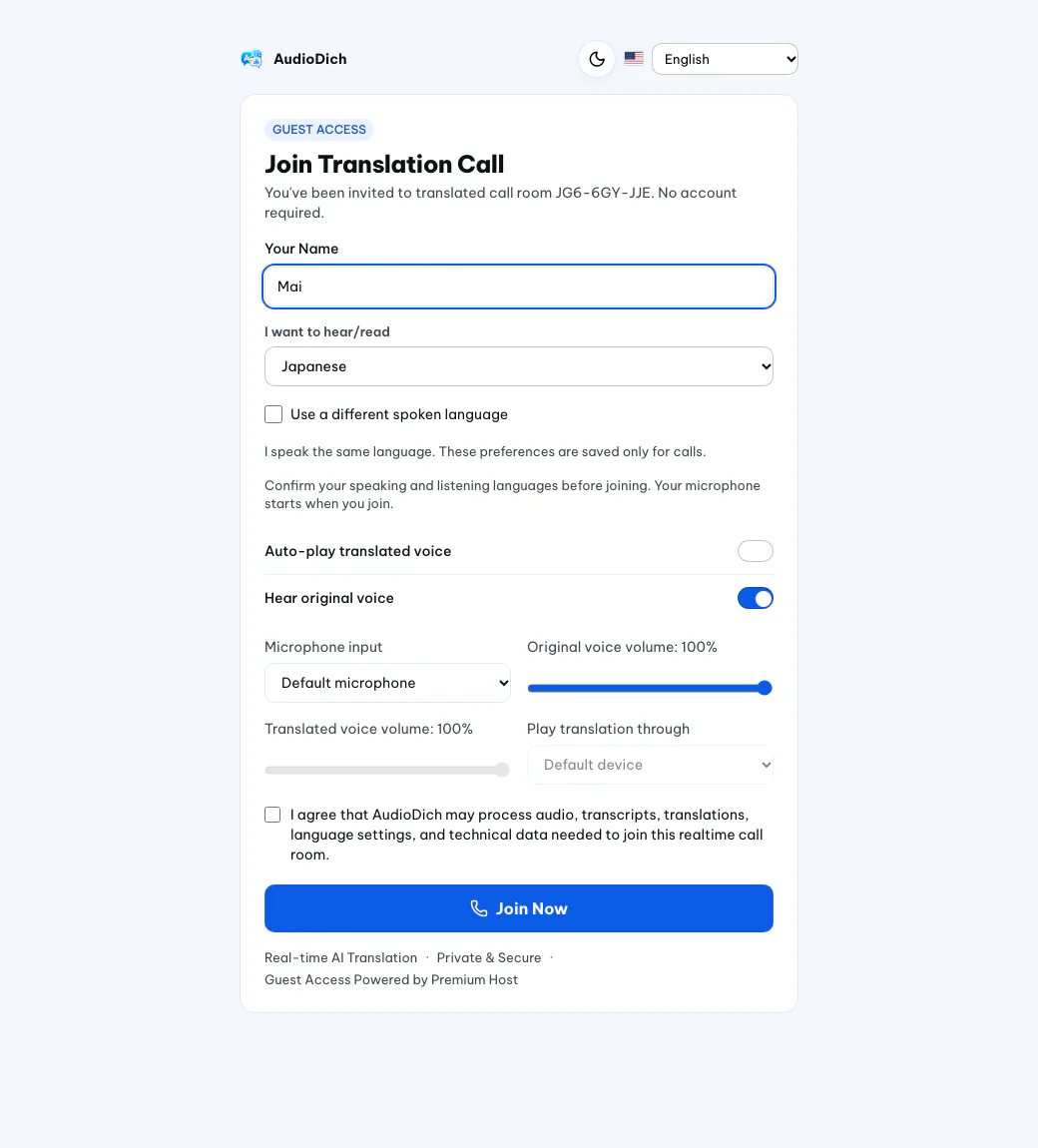
The other person opens the link and chooses their language
Send the invite link. The other person opens it in a browser, types a name, chooses their language and joins the room, with no account.
- Step 3
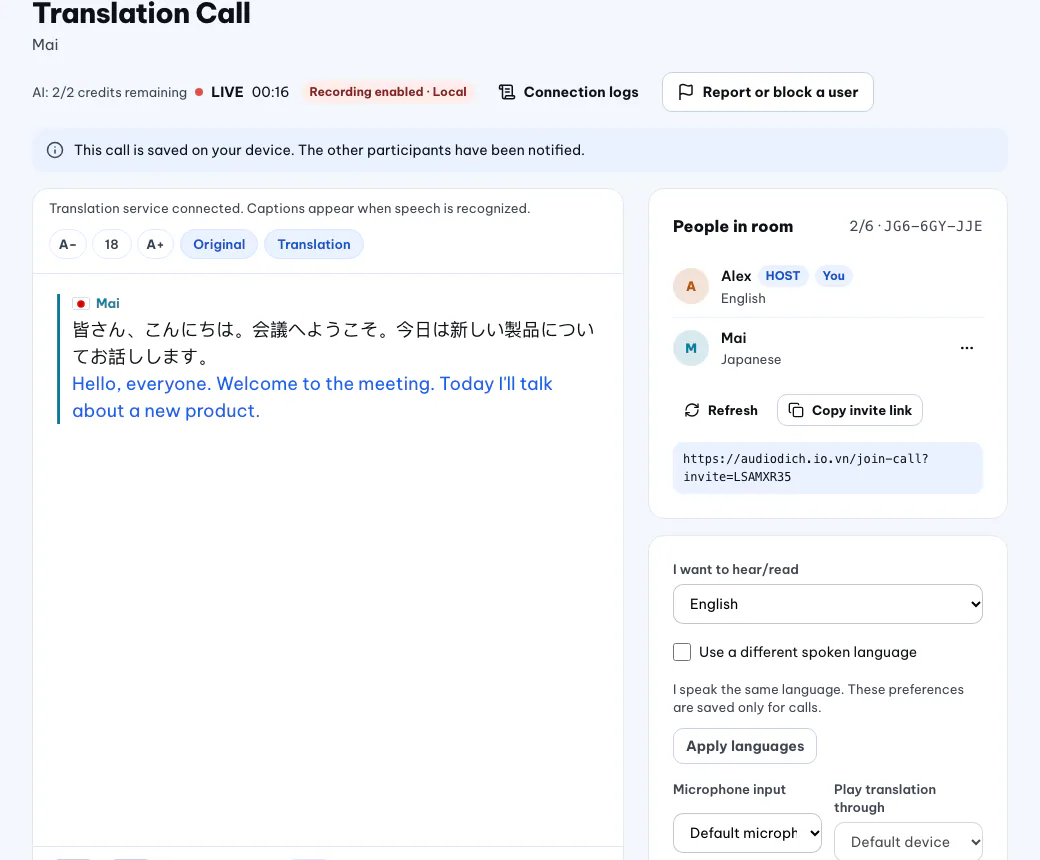
The host reads the translation in their own language
The other person's words appear in the original with a translation into your language. You adjust the font size and choose to show the original, the translation or both.
- Step 4
The other person reads the translation in their language
At the same moment, the other side reads your words in their language in the same call. Two screens, two languages, one conversation.
Key features of two-way calls
Each side chooses their own language
Each person picks their own speaking and reading language when joining the room.
Invite link, no account for guests
Send the link to the other person; they join the room from a browser without creating an account.
Bilingual subtitles in real time
Recognizes and translates 60+ languages; choose to show the original, the translation or both.
Spoken translation
Turn on the voice when you would rather listen than read, and adjust its volume separately.
Room for several people
Free rooms hold up to 2 people, paid plans up to 6; the call history keeps a transcript you can download.
Business Information
Official operator information and contact channels for AudioDich.
- Vietnamese registered name
- HỘ KINH DOANH HỘ KINH DOANH NGUYỄN LÊ TOÀN
- Household business registration No. (also the tax code)
- 035085005366
- Phone
- 0943 943 647
- Support email
- letoan_ng [at] yahoo.com.hk
For sales, support and consulting
Two-way calls suit situations where both sides need to ask and answer: consulting, confirming appointments, technical support, talking with suppliers. Each side needs a microphone; distant or noisy audio makes results less accurate.
Notes on accuracy and recording
Each side should speak in short passages and not talk over each other. Machine translation can get prices, appointment dates and terms wrong, so confirm important details in writing. The call room tells participants when the call is being saved.
Quick answers
The questions people ask most before using AudioDich for a two-way call.
How does AudioDich two-way call translation work?
You create a call room and send the link, and each side chooses their own language. As each person speaks, AudioDich recognizes the speech, translates it and shows subtitles to the other side in real time.
Does the other person need an AudioDich account?
No. They open the invite link in a browser, choose a language and join the room.
How many people fit in one call room?
Free plan: 2 people; paid plans: up to 6 people in one room.
Can I hear the translation spoken aloud?
Yes. You turn on the spoken translation in the call room and adjust its volume separately.
Which languages are supported, and what about data and pricing?
60+ languages. Audio is processed to produce the transcript and translation for the features you turn on, and is stored only if you enable storage or save it yourself. Your first login includes 20 free minutes, then 10 minutes per day, with no credit card needed; if you need more, see the Pricing page.
Start with AudioDich
Try AudioDich in a real meeting, video, or call. When you need more time, compare hourly and monthly plans.