

Face-to-face translation: put the phone between you, each person speaks their own language
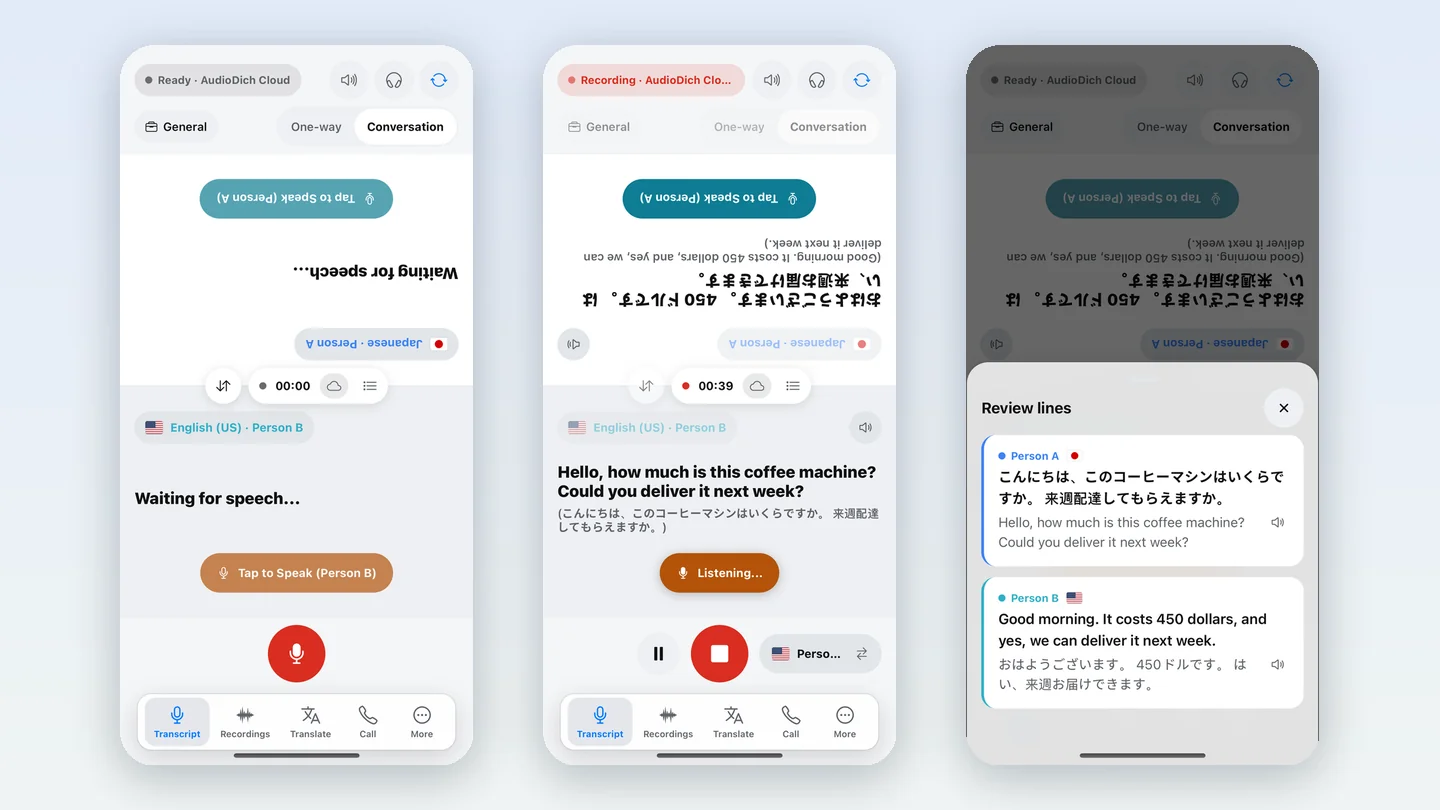
When you meet a foreign client in a cafe, at a trade fair or at a factory, there is not always an interpreter. Turn on conversation mode in the AudioDich phone app, put the phone between you, and each person speaks their own language; the translation appears turn by turn.
Problems with talking face to face across languages
No interpreter on the spot
Cafe or fair-stand meetings are rarely scheduled in advance, so an interpreter is hard to bring along.
Typing each sentence breaks the conversation
Typing and handing the phone back and forth costs you the rhythm, and the other person has to wait.
No record to check afterwards
Prices, quantities and dates are easy to get wrong by ear. You need text to check after the meeting.
How face-to-face translation runs in the AudioDich app
Four steps, each one a real screenshot of the AudioDich app on an iPhone with real voices. The Android app has the same conversation mode.
- Step 1
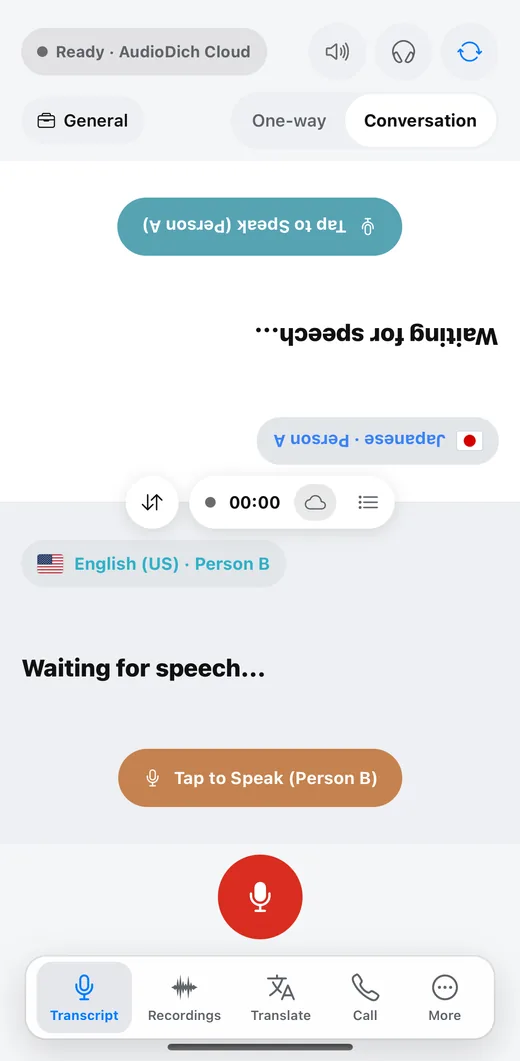
Turn on conversation mode
Open AudioDich on your phone, go to the Transcript tab and switch from One-way to Conversation.
- Step 2
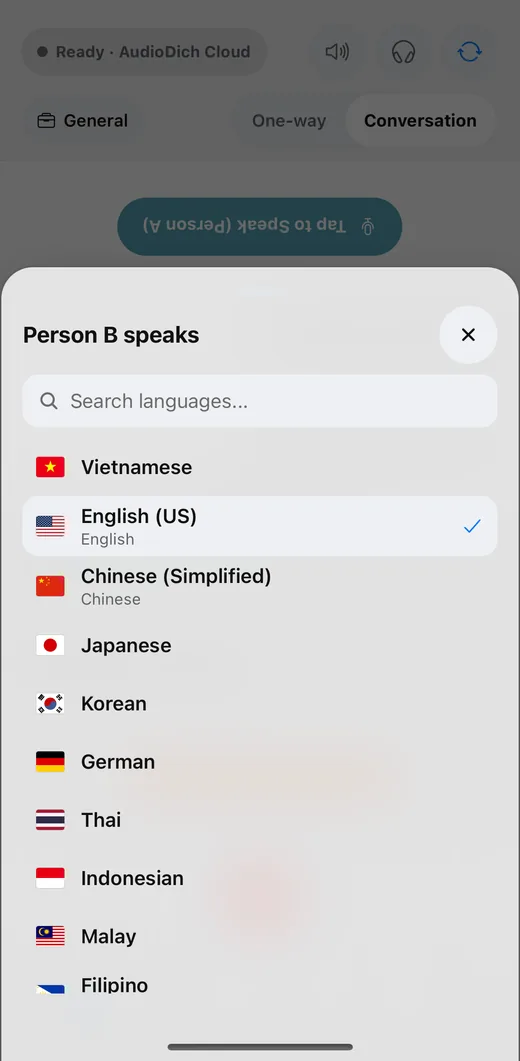
Choose a language for each person
Tap Person A's or Person B's language and pick what each person speaks. The two languages must be different.
- Step 3
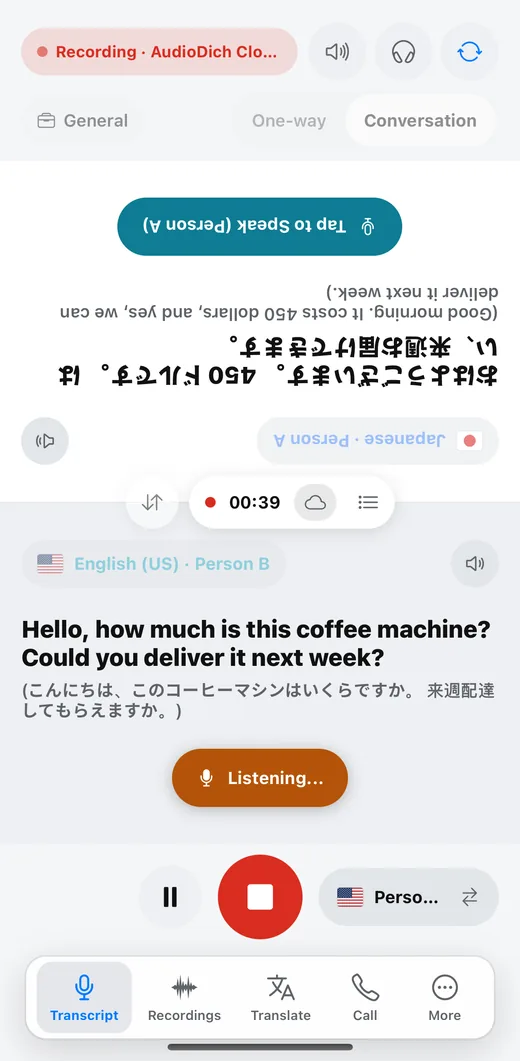
Put the phone between you and take turns
Each person speaks their own language; the translation appears turn by turn with the original in brackets. Person A's half is turned 180° to face them.
- Step 4
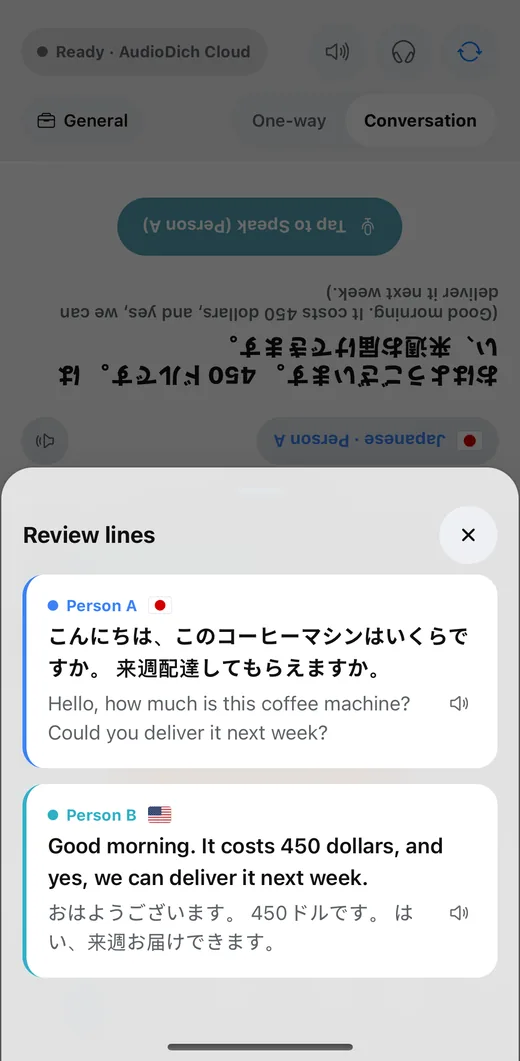
Review the lines after the meeting
Open Review lines to see each sentence by Person A and Person B with its translation. When you stop, the app saves the recording for later.
Key features of conversation mode
One language per person
Pick a separate speaking language for Person A and Person B before you start.
Screen split in two halves
One half faces you, the other is turned 180° for the person across from you.
Translation with the original
Each turn shows the translation, with the original in brackets for checking.
Hear the translation
A speaker button plays the translation for the other person so you do not pass the phone around.
Review and save
Review each line by speaker; the session is saved to look at again later.
Business Information
Official operator information and contact channels for AudioDich.
- Vietnamese registered name
- HỘ KINH DOANH HỘ KINH DOANH NGUYỄN LÊ TOÀN
- Household business registration No. (also the tax code)
- 035085005366
- Phone
- 0943 943 647
- Support email
- letoan_ng [at] yahoo.com.hk
Why in-person meetings need their own approach
A face-to-face conversation is not a call: two people sit side by side and look at the same phone. The screen therefore has to be split for each person instead of one shared caption box.
How to use it with clients, at fairs and in workshops
Place the phone between you with the microphone facing both people and speak in short stretches. Wait for the translation before the other person starts; it is more accurate than talking over each other.
Before you settle a price, quantity or delivery date, read the translation back and confirm in writing.
Data and accuracy
Audio is processed online to create the transcript and translation. Tell the other person before you use it. For contracts, medical or legal matters, have a qualified person check it.
Quick answers
The questions people ask most before using AudioDich conversation mode in person.
Does it need internet?
Yes, the translation is processed online, so the phone needs an internet connection.
Can both people use the same language?
No. The two speakers must use different languages; the app shows an error if both are the same.
Do I need a credit card to try it?
No card is needed to try it. New accounts get free time on the first login and every day.
Does it replace a professional interpreter?
No. For prices, specifications and terms, always confirm in writing.
Start with AudioDich
Try AudioDich in a real meeting, video, or call. When you need more time, compare hourly and monthly plans.