

Translate Japanese, Korean and Chinese customers with subtitles and voice
Your customer speaks Japanese, Korean or Chinese and you need to understand right away to reply. Open AudioDich next to the call, pick tab audio or the microphone, read the translated subtitles sentence by sentence, turn on translated voice when needed and keep the transcript for your support support case; if you want each side to speak their own language, invite the customer into a call room with one link.
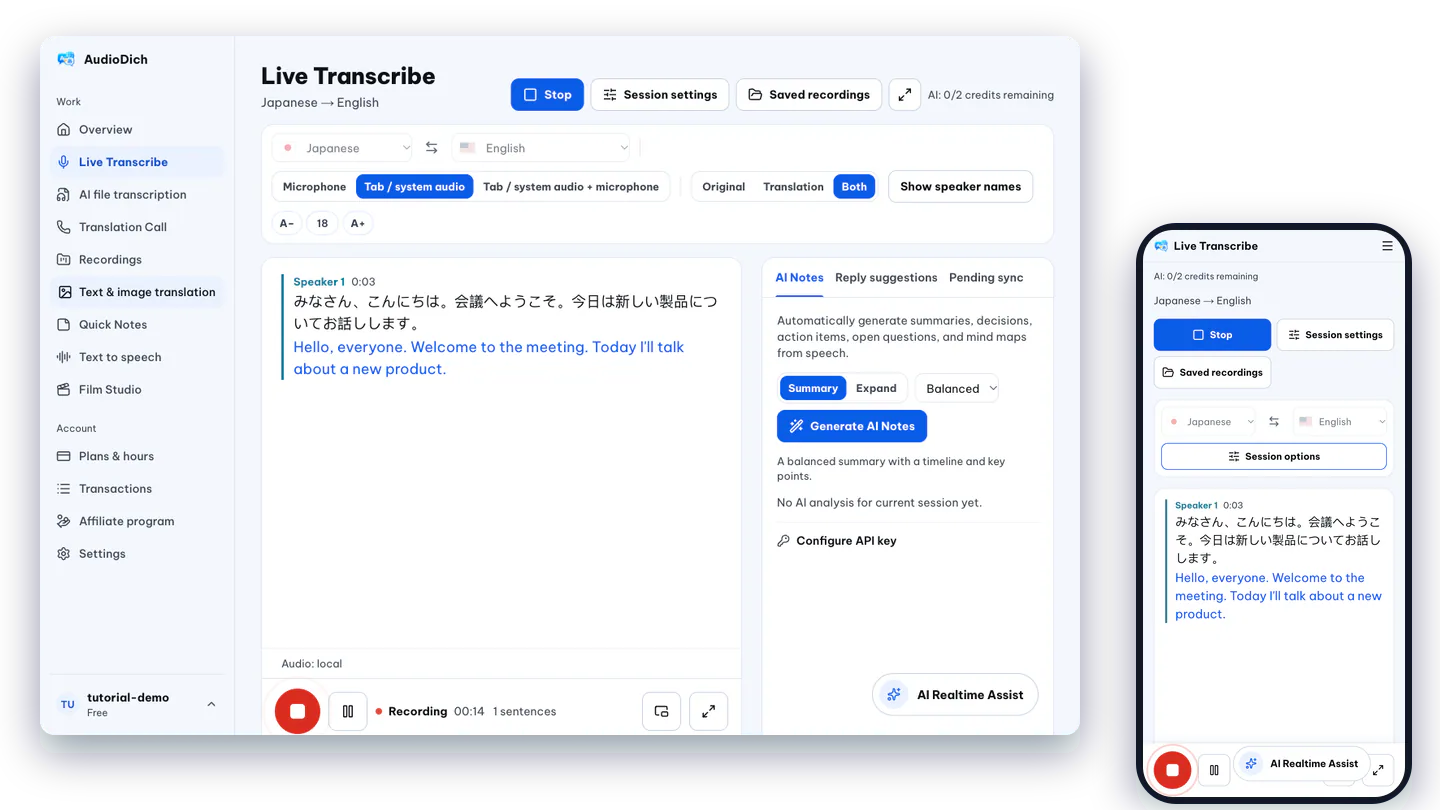
The hard parts of working with Japanese, Korean and Chinese customers
Customers speak fast, use honorifics and abbreviations
A Japanese or Korean sentence changes meaning with the level of politeness, and Chinese has many homophones. Misunderstand one sentence and your answer misses what the customer meant.
No one who speaks the language is on shift
Support and sales teams often have only a few people who speak the customer's language. When they are off, calls get transferred or missed.
Key information is spoken during the call
Order numbers, the error the customer ran into, appointment dates and promises are hard to remember exactly by ear alone. The next shift needs to know what the customer said.
Translate a conversation with Japanese, Korean or Chinese customers in AudioDich, step by step
Four steps, each one a real screenshot of AudioDich running with real speech. You do not need to install anything in the app you use to call your customer.
- Step 1
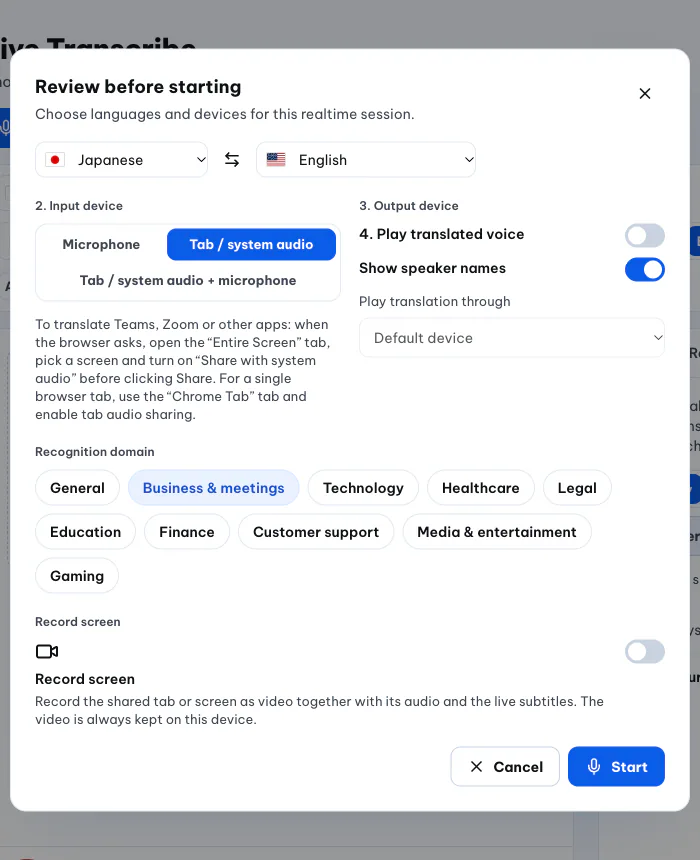
Choose the customer's language and domain before the call
Click Start in Live Transcribe, choose the language your customer speaks (Japanese, Korean or Chinese) and the language you want to read, pick the domain closest to the call, and choose Tab / system audio to hear the calling app open in your browser.
- Step 2
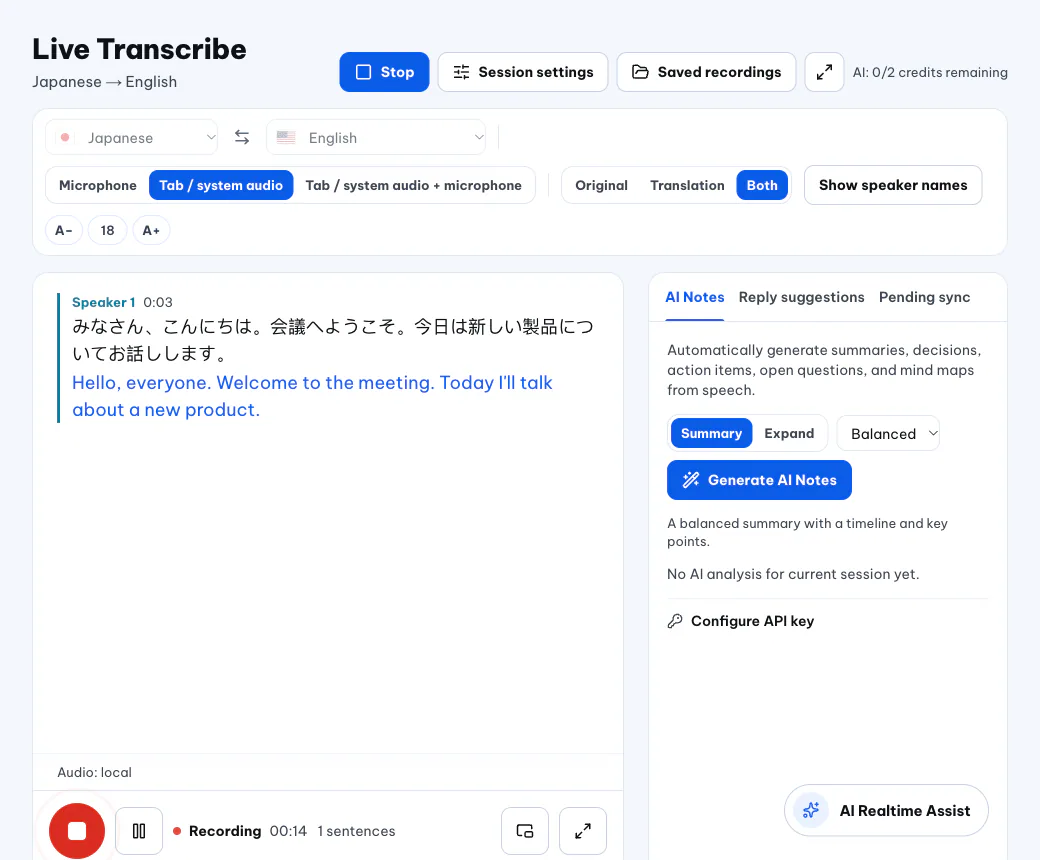
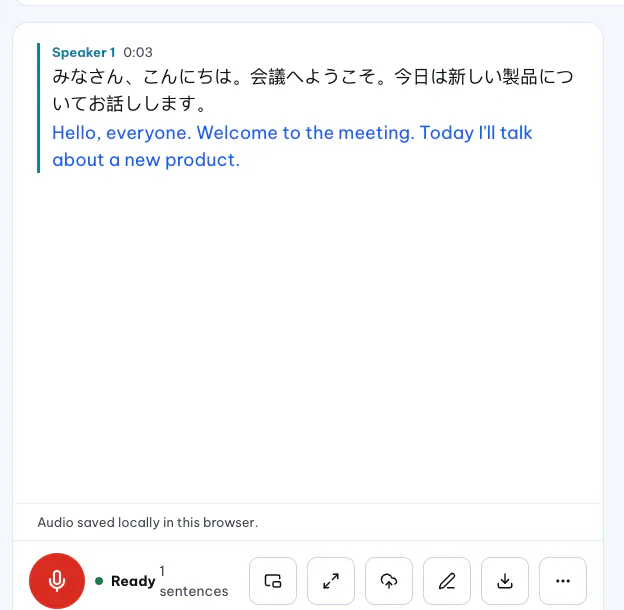
Read the customer's words with the translation as they speak
Each sentence shows the customer's original with the translation right below it. You read, understand and reply right away; you can turn on translated voice or adjust the font size for easier reading.
- Step 3
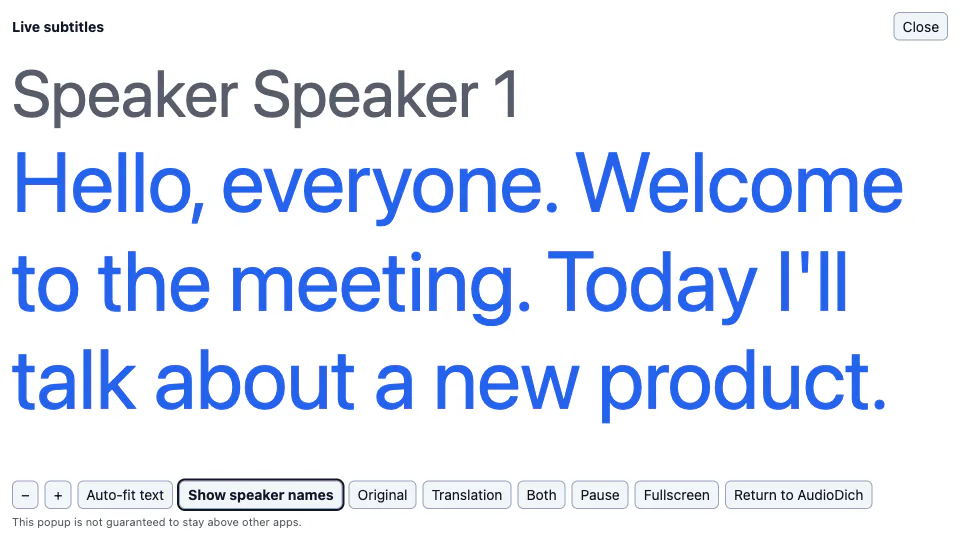
Open large subtitles in a separate window
When you need to watch your support software and listen to the customer at once, open the separate subtitle window: large text that fits automatically, placed on a second screen or next to your work window. This window is not guaranteed to stay on top of other apps.
- Step 4
Keep the transcript for your support support case
Stop the session, then use the buttons below the transcript to edit or download it, and put the content into your support support case so the next shift knows what the customer said.
Key features for supporting and selling to Japanese, Korean and Chinese customers
Bilingual subtitles in real time
Recognizes and translates 60+ languages; the customer's words appear in the original with a translation for each sentence.
Translated voice
Turn on translated voice when you would rather listen than read, and choose a separate playback device.
Separate subtitle window
Large text that fits automatically, placed next to your support software.
Editable, downloadable transcript
Save the session to review it, edit it and download it for your support support case.
Two-way call room
Invite the customer in with a link and each side speaks their own language. A free room holds up to 2 people, a paid plan up to 6.
Business Information
Official operator information and contact channels for AudioDich.
- Vietnamese registered name
- HỘ KINH DOANH HỘ KINH DOANH NGUYỄN LÊ TOÀN
- Household business registration No. (also the tax code)
- 035085005366
- Phone
- 0943 943 647
- Support email
- letoan_ng [at] yahoo.com.hk
For support, sales and consulting
Listen to the customer's call through a browser tab or the microphone, with nothing to install in the calling app. Distant or noisy audio, or several people talking at once, makes results less accurate.
A note on accuracy and data
Machine translation can get honorifics, proper names, order numbers and figures wrong, so confirm important details with the customer. Tell the customer if you record the call or save a transcript, in line with the rules where you work.
Quick answers
The questions people ask most before using AudioDich with Japanese, Korean or Chinese speaking customers.
What is AudioDich for Japanese, Korean and Chinese customers?
It is a tool that listens to call or meeting audio, recognizes Japanese, Korean and Chinese (and 60+ other languages), translates it and shows bilingual subtitles in real time, with a transcript you can save.
Does the customer need to install anything?
No. With live subtitles, AudioDich listens through your device (a browser tab or the microphone). If you want each side to speak their own language, the customer only opens the call room link, with no account needed.
Can I hear the translation as a voice?
Yes. Turn on translated voice in the start dialog; you can also choose a separate playback device.
Can I trust the translation completely?
No. Machine translation can get honorifics, proper names and figures wrong. Confirm important details such as order numbers, amounts and appointment dates.
Which languages are supported, and what about data and pricing?
60+ languages. Audio is processed to produce the transcript and translation for the features you turn on, and is stored only if you enable storage or save it yourself. Your first login includes 20 free minutes, then 10 minutes per day, with no credit card needed; if you need more, see the Pricing page.
Start with AudioDich
Try AudioDich in a real meeting, video, or call. When you need more time, compare hourly and monthly plans.