

Translate online interviews with foreign candidates or partners
When you interview in a foreign language, you need to listen closely, ask the right follow up and record the basis for your evaluation. Open AudioDich next to the interview, read translated subtitles sentence by sentence, keep the transcript to review and save quick notes right after the interview, before you forget the details.
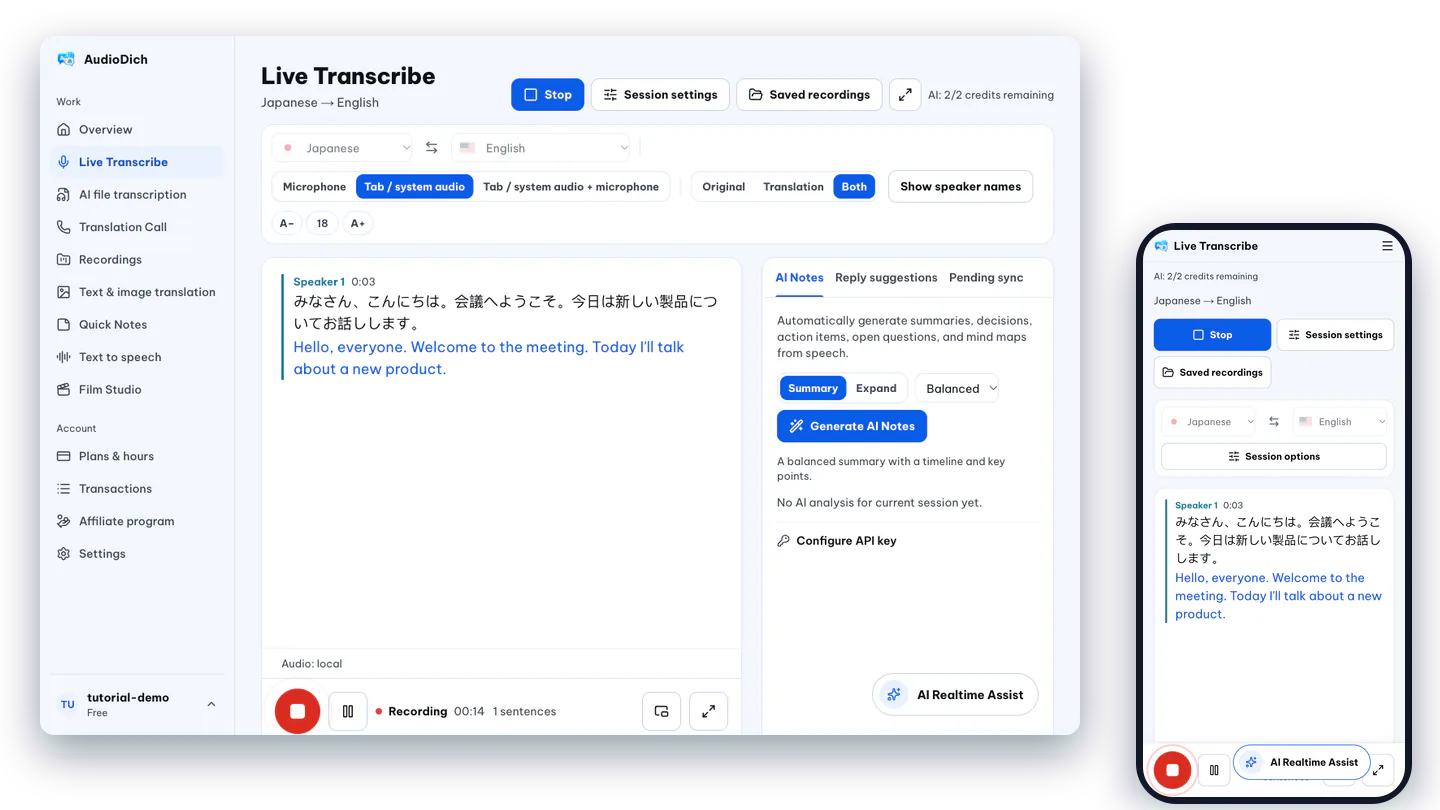
The challenges of interviewing in a foreign language
Listening, silently translating and thinking up the next question all at once
When you have to translate in your head, you easily miss the spot for a deeper follow up and how the candidate builds their argument.
Long answers full of terminology
Technical candidates or partners speak at length, using jargon and abbreviations. Mishear a little and your evaluation drifts.
No basis for comparison after the interview
Without text to look back at, comparing candidates relies only on memory and a general impression.
Online interviews with AudioDich, step by step
Four steps, each a real screenshot of AudioDich running with real speech. The candidate does not have to install or do anything extra.
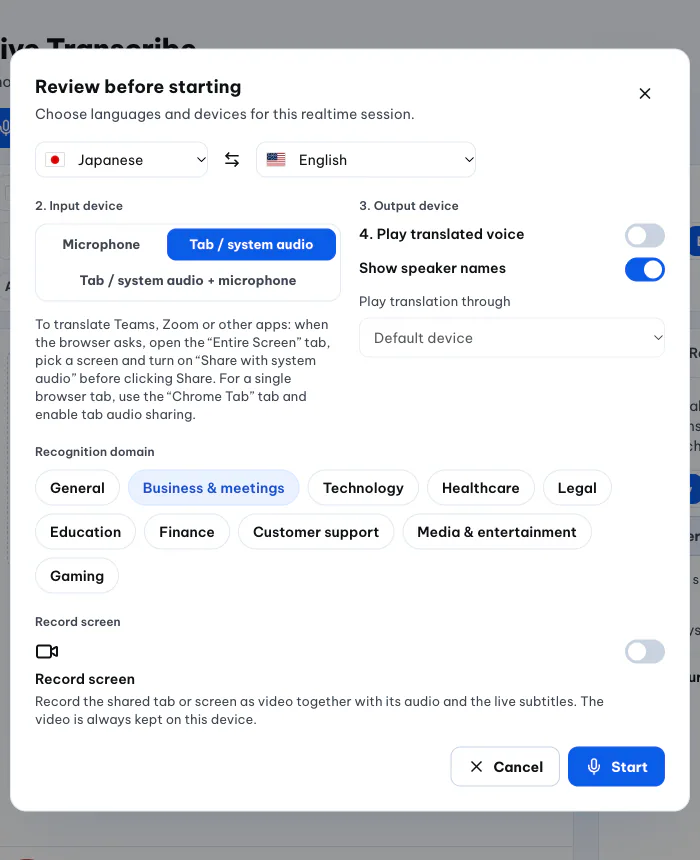
- Step 1
Choose the candidate's language and the recognition context
Click Start in Live Transcribe, choose the language the candidate speaks and the language you want to read, pick the recognition context closest to the call such as Business & meetings, then choose tab audio to hear the meeting tool open in your browser.
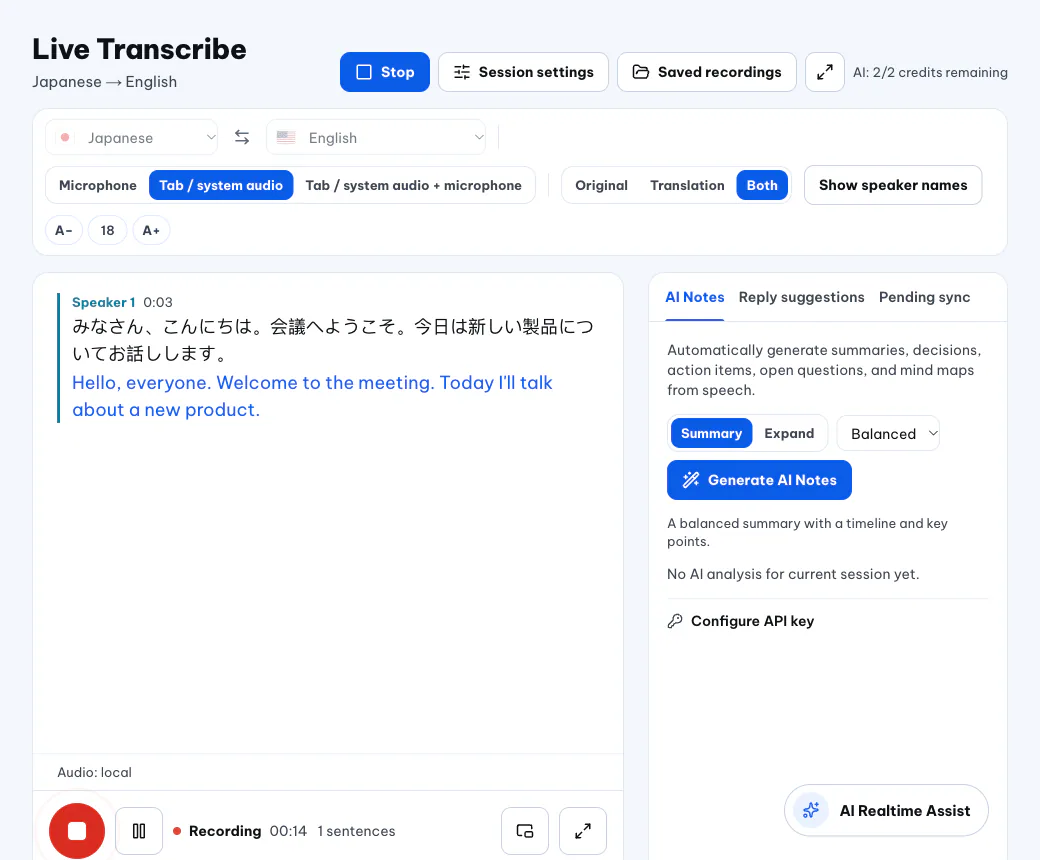
- Step 2
Read the answer with its translation while the candidate speaks
Each sentence shows the original with its translation right below, so you can follow the reasoning and prepare the next question instead of translating silently.
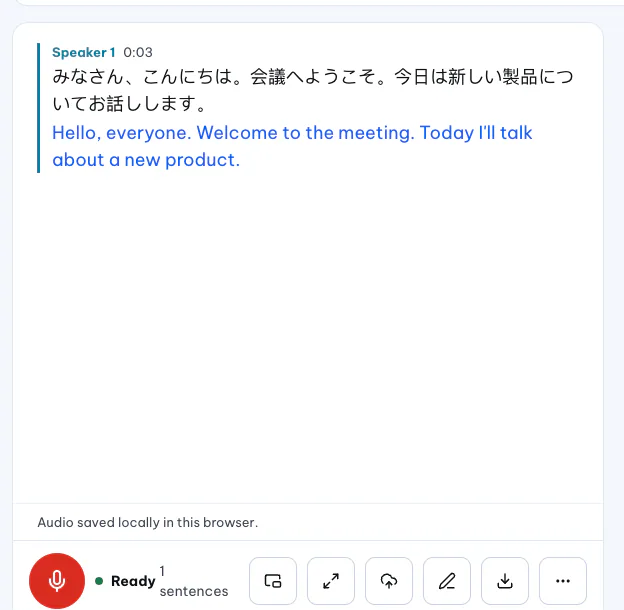
- Step 3
Stop the session and keep the transcript
When the interview ends, stop the session, then use the buttons below the transcript to edit or download it as the basis for comparing candidates.
- Step 4
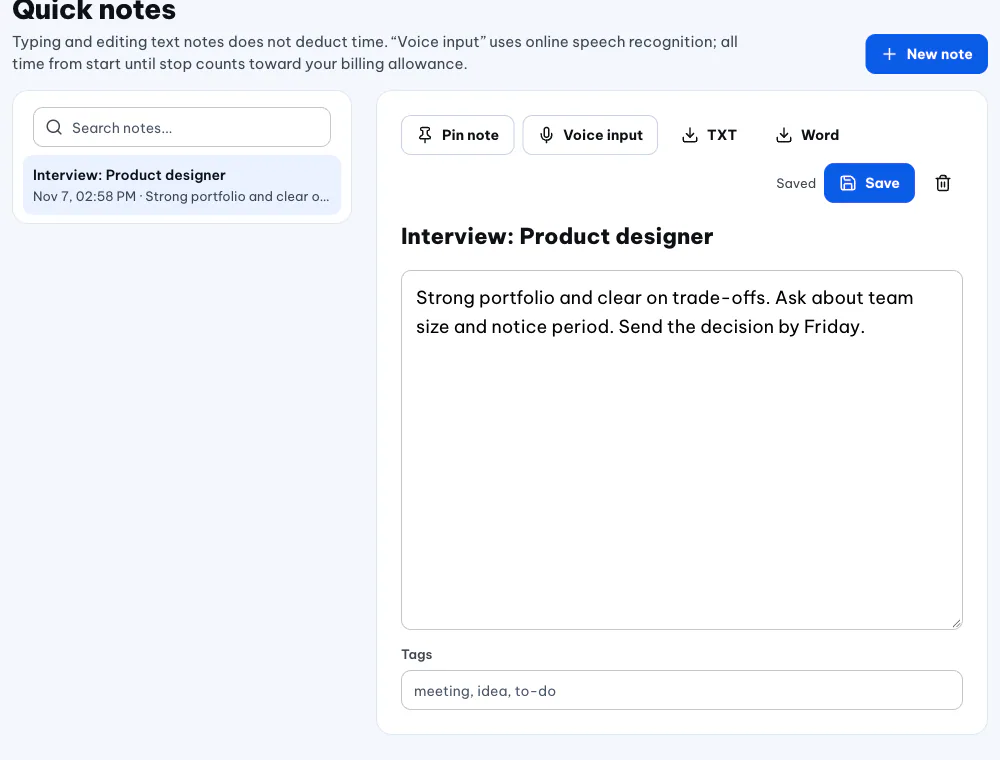
Note your evaluation right after the interview
Save strengths, points to ask about and the decision deadline in Quick Notes right after the interview.
Key features for interviewing foreign candidates or partners
Real-time bilingual subtitles
Recognizes and translates 60+ languages; each answer appears in the original with a translation for every sentence.
Tab audio or microphone
For an interview in the browser, choose tab audio; for an in-person interview, use the microphone.
Editable, downloadable transcript
Save the session to review, edit and download as the basis for your evaluation.
Quick Notes
Save strengths, follow up questions and the decision deadline right after the interview.
Two-way call room
Invite the candidate in with a link and each side speaks their own language. A free room holds up to 2 people, a paid plan up to 6.
Business Information
Official operator information and contact channels for AudioDich.
- Vietnamese registered name
- HỘ KINH DOANH HỘ KINH DOANH NGUYỄN LÊ TOÀN
- Household business registration No. (also the tax code)
- 035085005366
- Phone
- 0943 943 647
- Support email
- letoan_ng [at] yahoo.com.hk
For hiring interviews and talks with partners
Listen to the interview through a browser tab or the microphone, with nothing to install in your meeting tool. Distant or noisy audio, or several people talking at once, makes results less accurate.
Fairness, accuracy and data
Ask the candidate for permission before recording or saving a transcript. Machine translation can get terminology, names and numbers wrong, so do not use it as the only basis for hiring or rejecting anyone; ask again about the important points.
Quick answers
The questions asked most often before using AudioDich for an online interview.
How does AudioDich help with interviews in a foreign language?
AudioDich listens to the interview audio, recognizes the speech, translates it and shows bilingual subtitles in real time; it also keeps a transcript and quick notes for your evaluation after the interview.
Does the candidate need to install anything?
No. AudioDich listens through your own device (a browser tab or the microphone). If you want each side to speak their own language, the candidate only needs to open the call room link, with no account required.
Do I need the candidate's permission to record?
Yes. Tell the candidate and ask for permission before recording or saving a transcript, following the rules where you work.
Can I rely entirely on the translation to evaluate?
No. Machine translation can get terminology, names and numbers wrong. Ask again about the important points and check them against the candidate's resume.
Which languages are supported, and what about data and pricing?
60+ languages. Audio is processed to produce the transcript and translation for the features you turn on, and is stored only if you enable storage or save it yourself. Your first login includes 20 free minutes, then 10 minutes per day, with no credit card needed; if you need more, see the Pricing page.
Start with AudioDich
Try AudioDich in a real meeting, video, or call. When you need more time, compare hourly and monthly plans.