

International telesales translation for calls to customers abroad
A telesales call is often decided in the first few minutes, and a language barrier makes you talk less and ask shallow questions. Create a call room in AudioDich, send the link to your customer, and each side speaks their own language while reading the translated subtitles; afterwards, the transcript helps you keep the customer's needs, objections and next step.
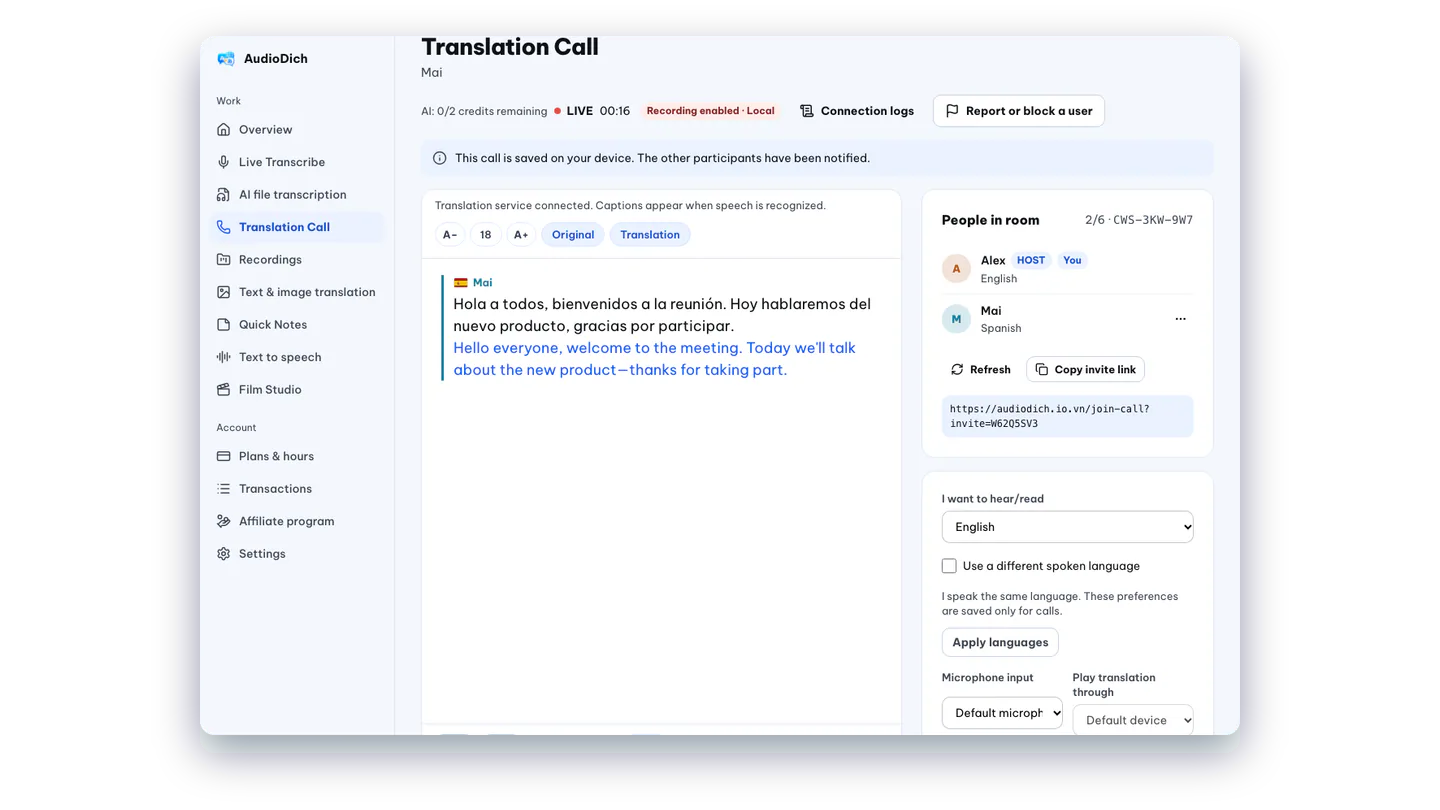
Challenges of telesales calls to customers abroad
Decided in the first few minutes
If a language barrier makes you say too little or avoid deeper questions, the call ends before you understand what the customer needs.
Dependent on a few people who speak the language
Only a few staff can call foreign markets, so your outbound campaign is limited by their schedules.
Customer objections are not kept
What the customer says about price, competitors and timing is easily forgotten. With no text to review, it is hard to improve your call call outline.
How an international telesales call runs in AudioDich
Four steps, each a real screenshot from an AudioDich call room running with live speech. Your customer only needs to open a link, no account required.
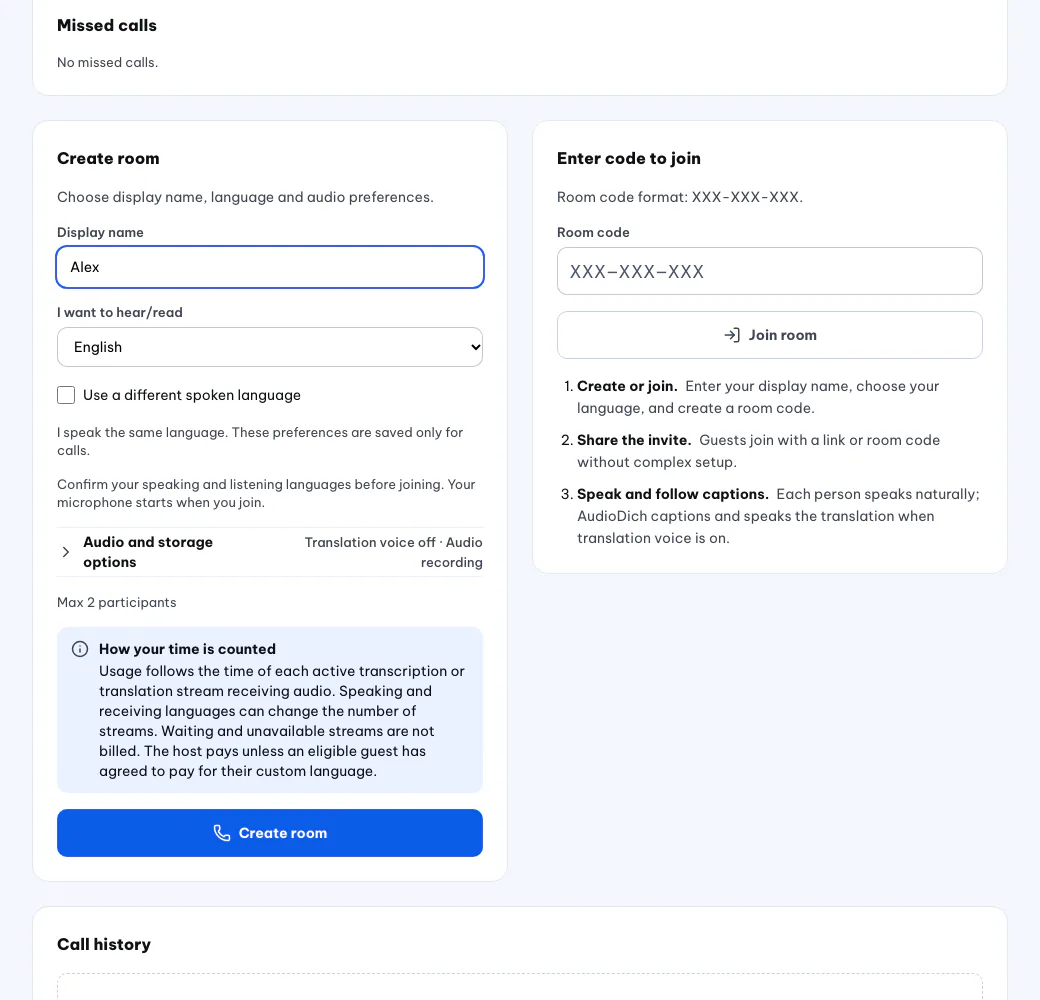
- Step 1
Create a call room and choose your language
Open Translation Call, type your display name, choose the language you speak and read, then click Create room. A free room holds up to 2 people; paid plans up to 6.
- Step 2
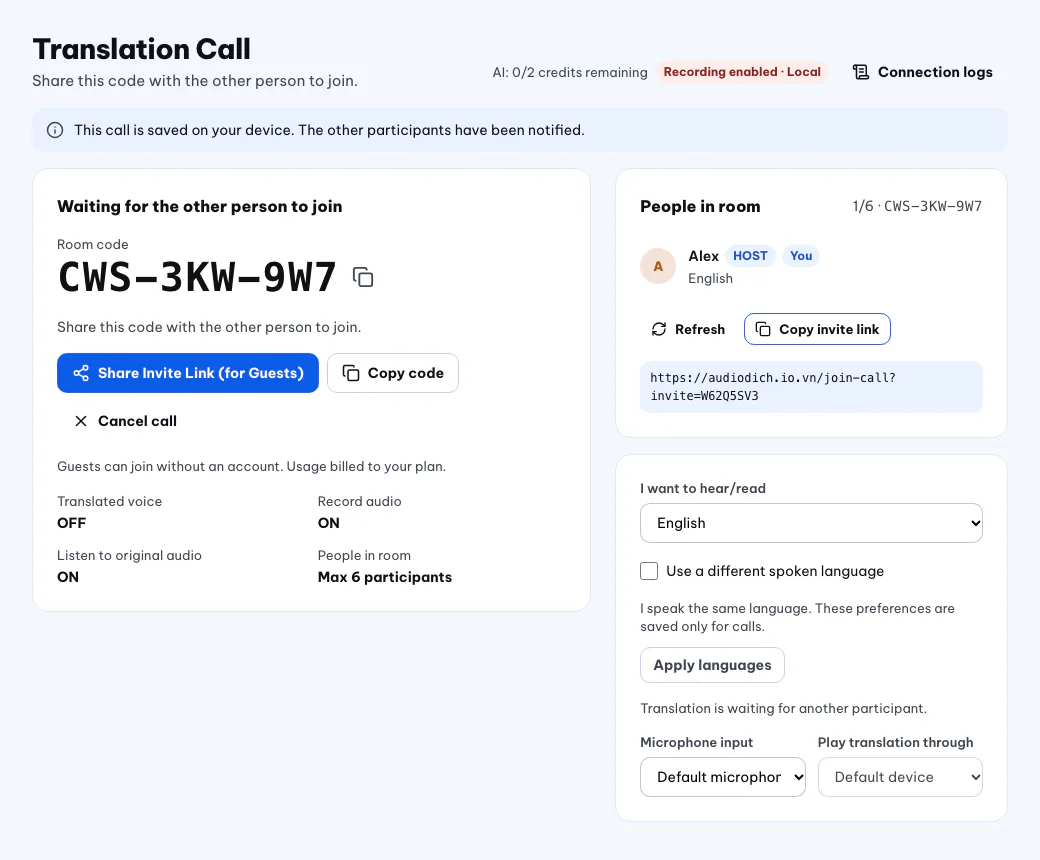
Send the invite link to your customer
Create an invite link and send it to your customer by email or chat. The customer opens the link and joins the room, no AudioDich account needed.
- Step 3
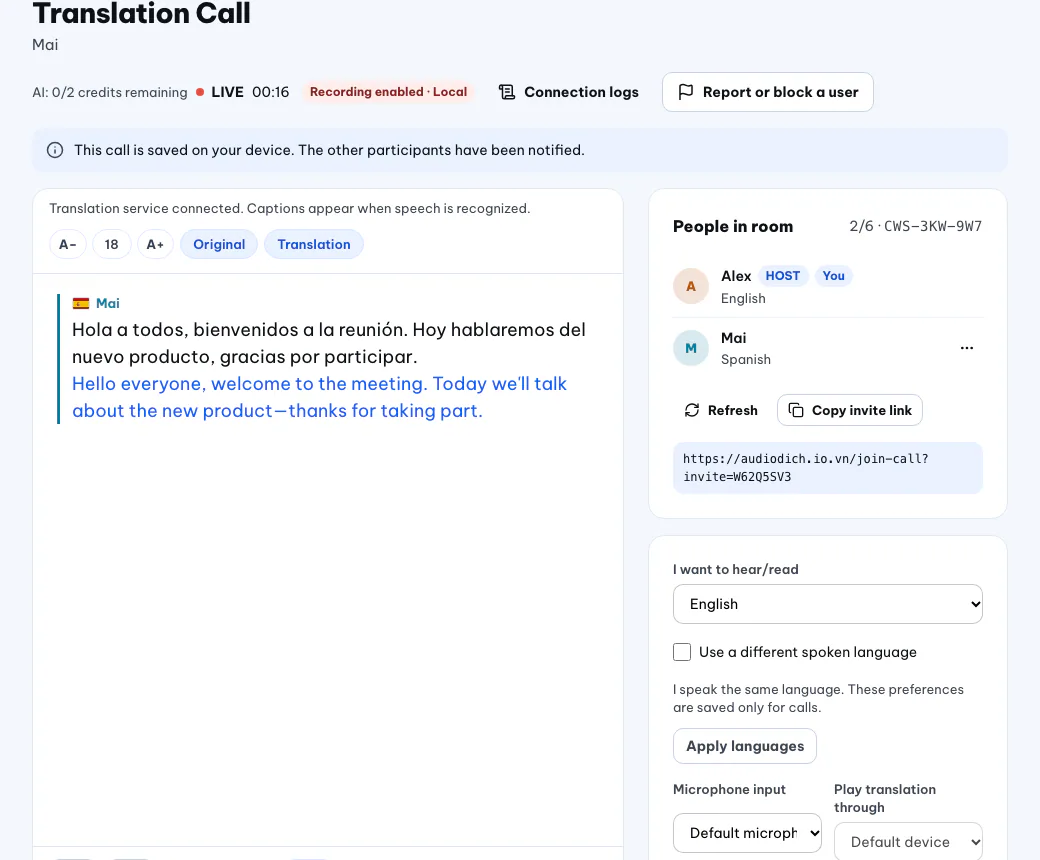
Read the customer's words with translation during the call
The customer's words appear in the original with a translation right in the room. You can adjust the font size, show the original, the translation or both, and ask follow up questions about exactly what the customer cares about.
- Step 4
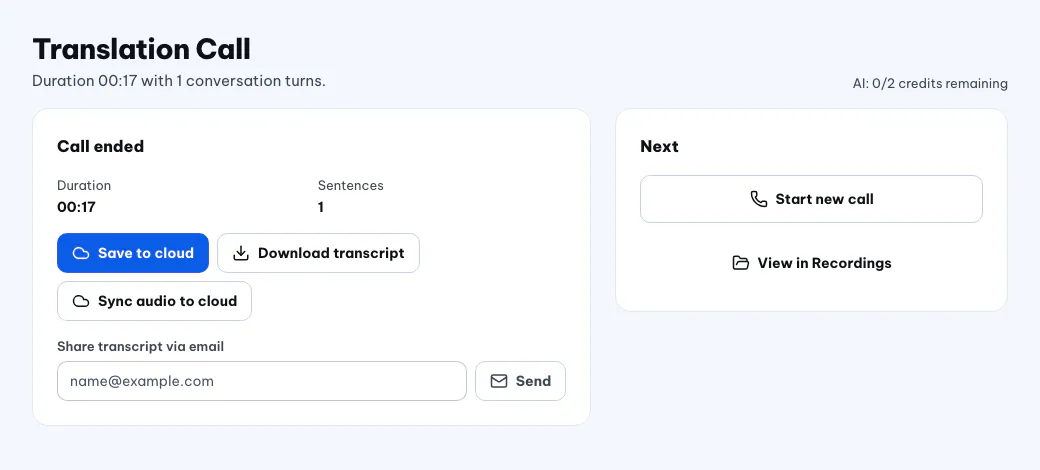
End the call and keep the transcript
When the call ends, the summary screen shows the duration and the number of sentences. Download the transcript or share it via email to update your CRM and improve your call call outline.
Main features for international telesales
Two-way call room
Each side speaks their native language. A free room holds up to 2 people, paid plans up to 6.
Invite link, no account for the customer
Send the link to your customer; they join the room from a browser without creating an account.
Bilingual subtitles in real time
Recognition and translation in more than 60 languages; choose to show the original, the translation or both.
Translated voice
Turn on spoken translation when you would rather listen than read, and set its volume separately.
Transcript to download or email
After the call, download the transcript or share it via email.
Business Information
Official operator information and contact channels for AudioDich.
- Vietnamese registered name
- HỘ KINH DOANH HỘ KINH DOANH NGUYỄN LÊ TOÀN
- Household business registration No. (also the tax code)
- 035085005366
- Phone
- 0943 943 647
- Support email
- letoan_ng [at] yahoo.com.hk
Use it for telesales, demo booking and after-sales follow up
A call room fits when you call customers abroad yourself, book demos or follow up after a sale. Each side needs a microphone; distant or noisy audio makes results less accurate.
Notes on accuracy and recording
Machine translation can get prices, quantities and appointment dates wrong, so confirm them in writing after the call. The call room notifies participants when the call is saved; follow the recording rules where you work.
Quick answers
The questions people ask most before using AudioDich for telesales calls to customers abroad.
What is AudioDich international telesales translation?
It is a two-way call room: you and the customer each speak your own language, and AudioDich recognizes the speech, translates it and shows subtitles in real time, with a transcript after the call.
Does the customer need an account or an app?
No. The customer opens the invite link in a browser and joins the room, with no AudioDich account to create.
How many people fit in one call room?
Free plan: 2 people; paid plans: up to 6 people in one room.
Can I trust the translation completely?
No. Machine translation can get prices, quantities and appointment dates wrong. Confirm important details in writing after the call.
Which languages are supported, and what about data and pricing?
60+ languages. Audio is processed to produce the transcript and translation for the features you turn on, and is stored only if you enable storage or save it yourself. Your first login includes 20 free minutes, then 10 minutes per day, with no credit card needed; if you need more, see the Pricing page.
Start with AudioDich
Try AudioDich in a real meeting, video, or call. When you need more time, compare hourly and monthly plans.