

- Back to the guide
- Video tutorials
- Buy an hour package and pay
Buy an hour package and pay
Choose a package, scan the VietQR code to pay and follow your order under Transactions.
This tutorial is for anyone ready to buy hours. It follows the whole path from choosing a package to scanning the QR code and checking that the payment arrived.
Steps
Open Plans & hours in the left sidebar.
Click Plans & hours in the left sidebar.
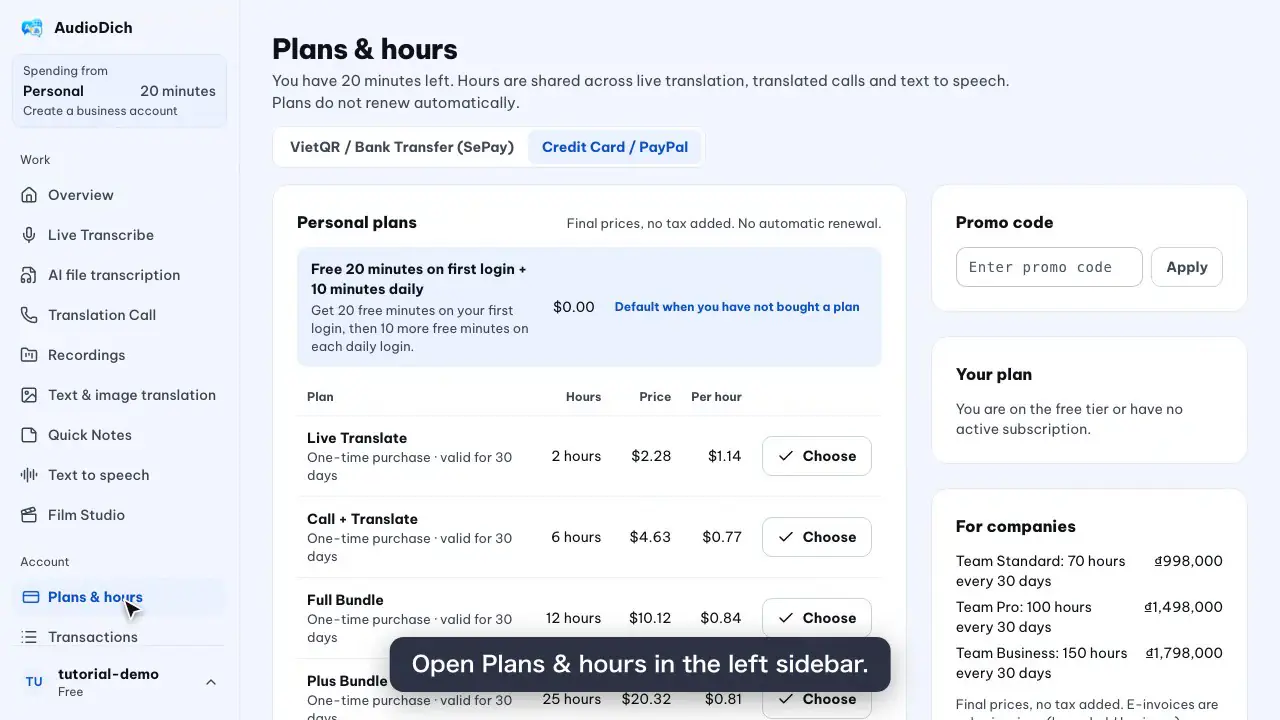
Choose the hour package you want to buy.
Choose the payment method with the switch above the table, then click Choose on the package you want.
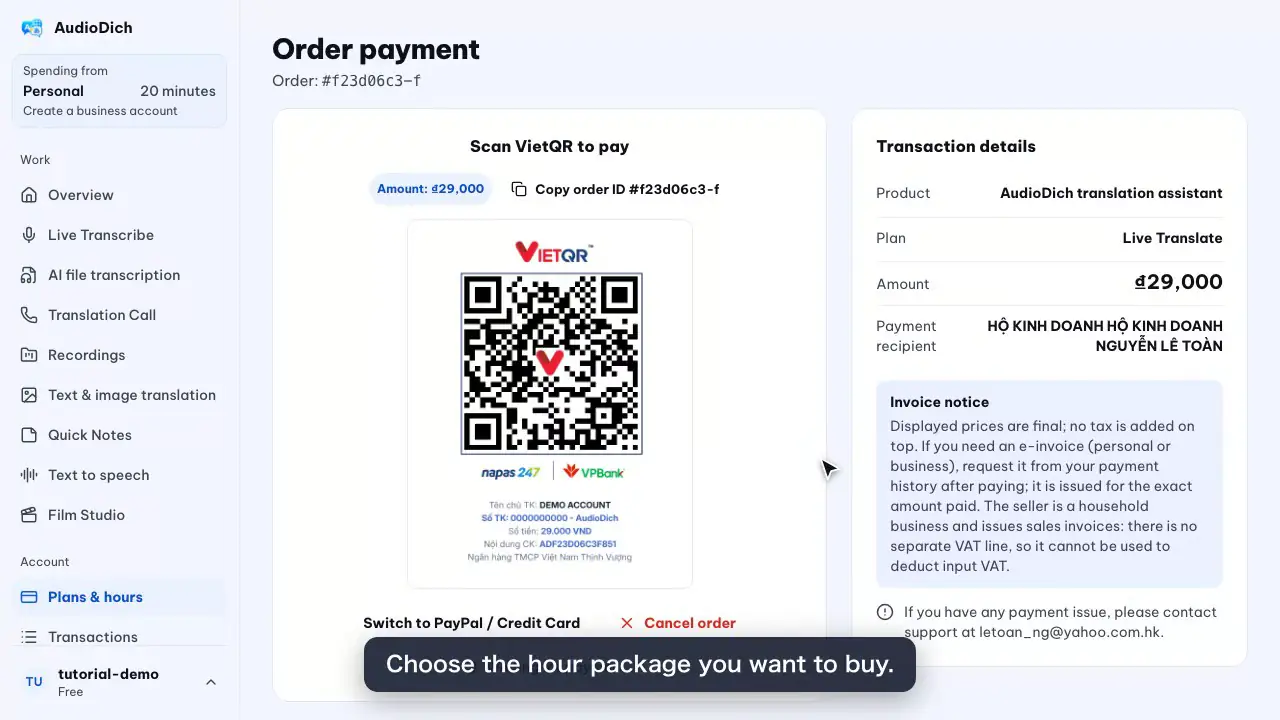
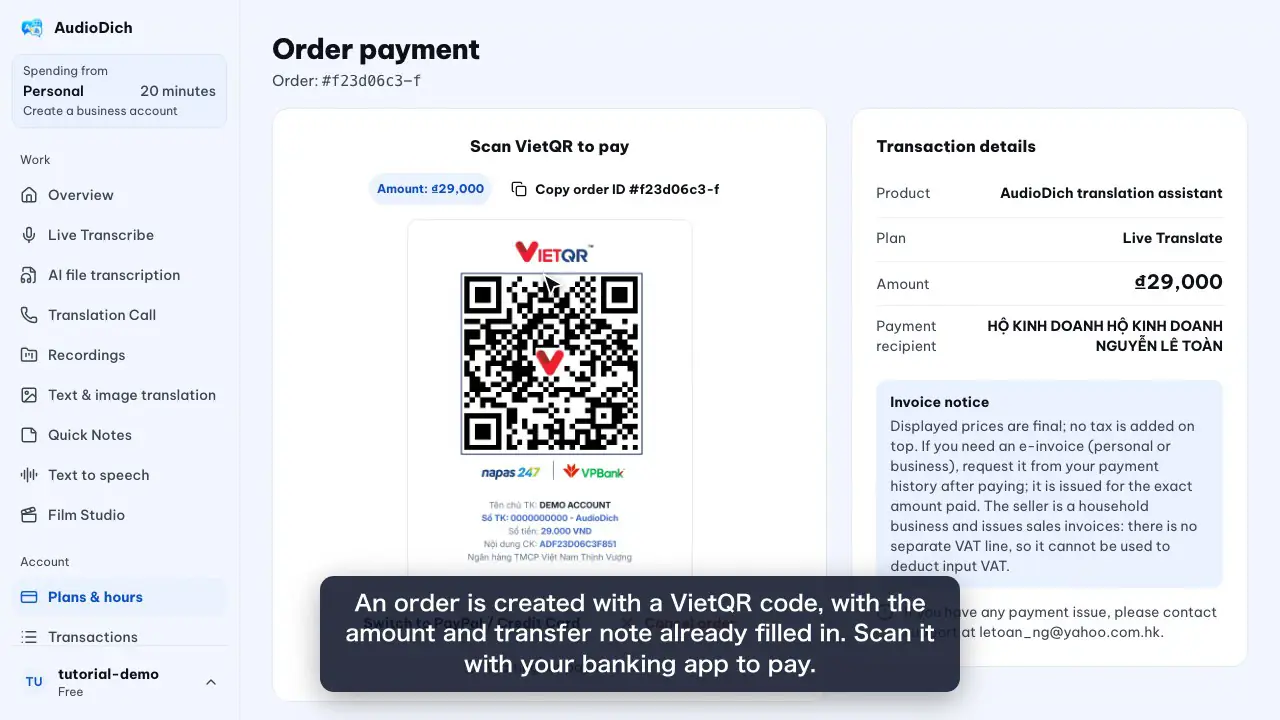
An order is created with a VietQR code, with the amount and transfer note already filled in. Scan it with your banking app to pay.
The order page shows a QR code. Scan it with your banking app to pay. If scanning fails, use the open-payment-gateway button.
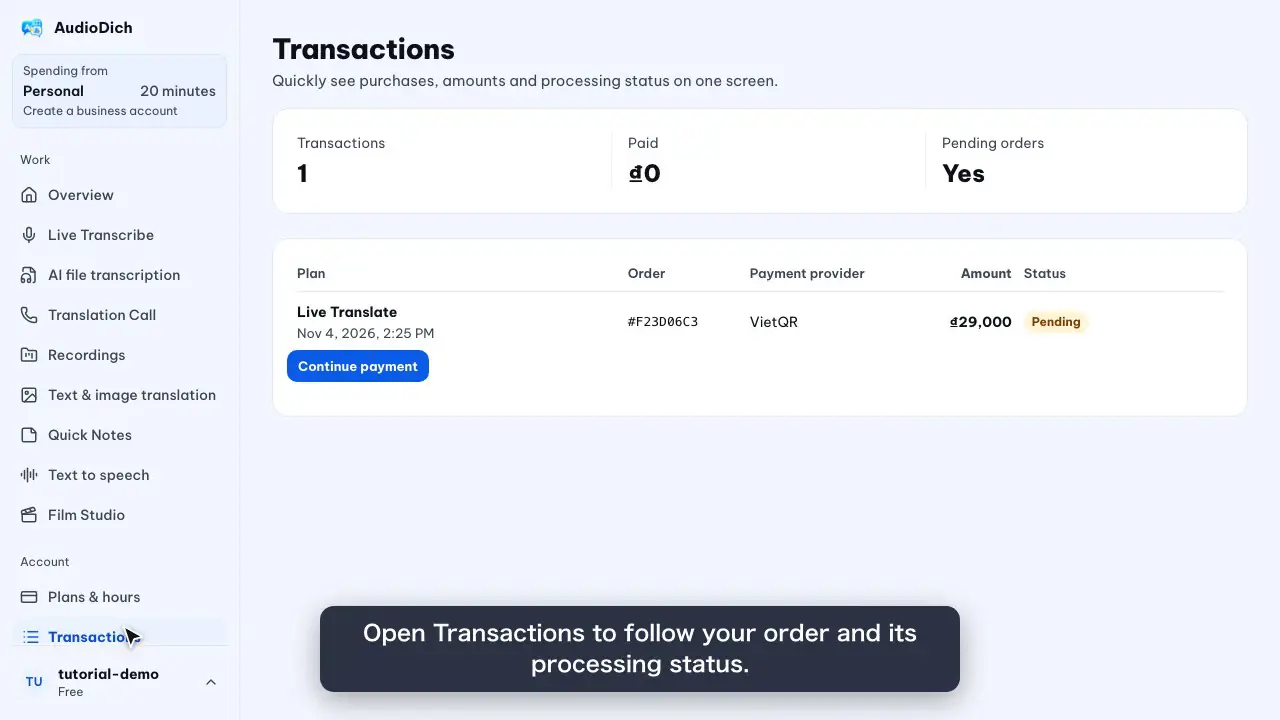
Open Transactions to follow your order and its processing status.
Open Transactions to see the status of the order. The page updates by itself once the payment is confirmed.
Tips
- Prices are final and include everything: no tax is added at checkout.
- Do not close the order page while you pay. It updates automatically when the transfer arrives, usually in under a minute.
- You can switch method on the order page, for example from VietQR or SePay to PayPal or credit card.
- Download the receipt after the payment is complete.
- After paying, return to Plans & hours to see your new balance. One-time hours never expire; a monthly plan shows the expiry date of its period.
Common problems
- The QR code does not scan.
- Use the open-payment-gateway button and pay there.
- I paid but the plan is not active.
- Wait a minute and check Transactions. If the order stays waiting, contact support with the order code.
- The order says canceled.
- The payment was canceled. You can start again from Plans & hours at any time.
- I chose the wrong package.
- Close the order page without paying and choose again from Plans & hours. An order that is not paid gives you no hours.
Frequently asked questions
How do I pay?
By VietQR or SePay bank transfer, or by credit card or PayPal.
Does the plan renew automatically?
No. One-time hours never expire, so you only buy again when you run out. Each monthly plan purchase lasts 30 days: renew before the expiry date to keep your unused hours.
Where is my order code?
At the top of the order page and in Transactions.
Video transcript
Open Plans & hours in the left sidebar. Choose the hour package you want to buy. An order is created with a VietQR code, with the amount and transfer note already filled in. Scan it with your banking app to pay. Open Transactions to follow your order and its processing status.