

- Back to the guide
- Video tutorials
- Plans, hours and promo codes
Plans, hours and promo codes
Browse the hour packages, compare the price per hour and enter a promo code.
This tutorial is for anyone who wants to know how many hours they have, what each package costs per hour and how to apply a promo code before paying. Allow about a minute.
Steps
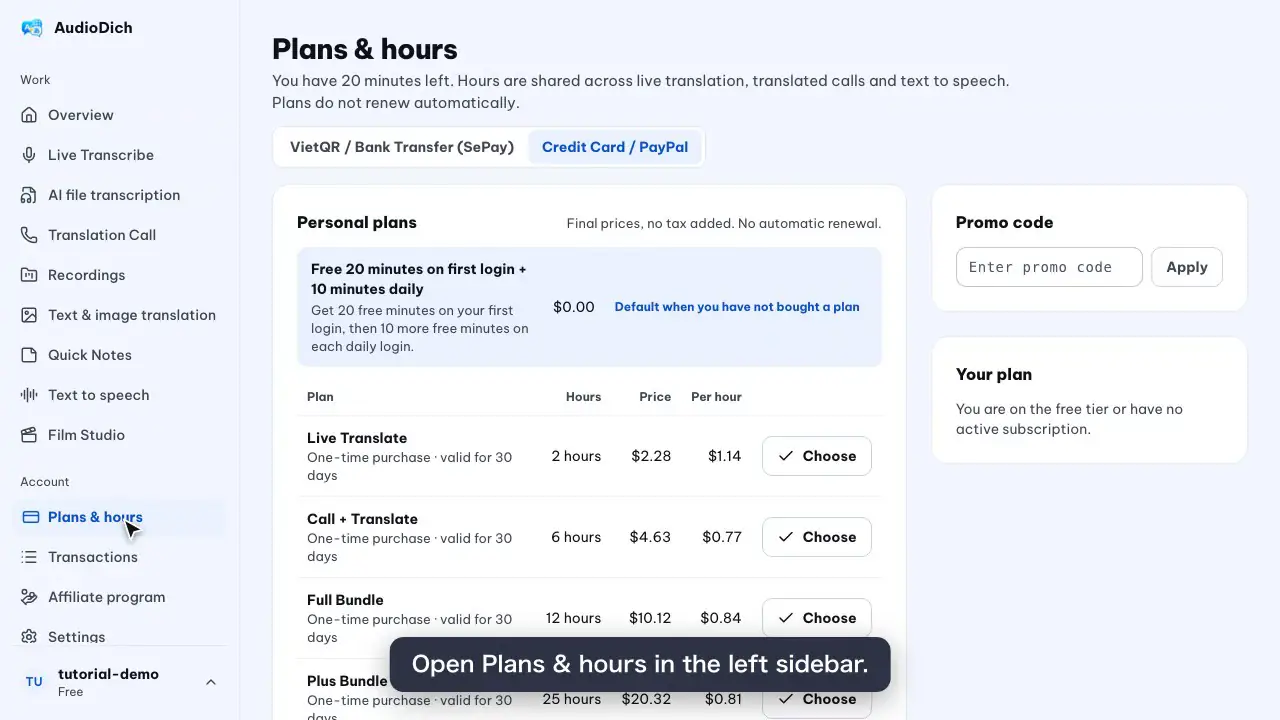
Open Plans & hours in the left sidebar.
Click Plans & hours in the left sidebar to open the page that lists everything about your time and packages.
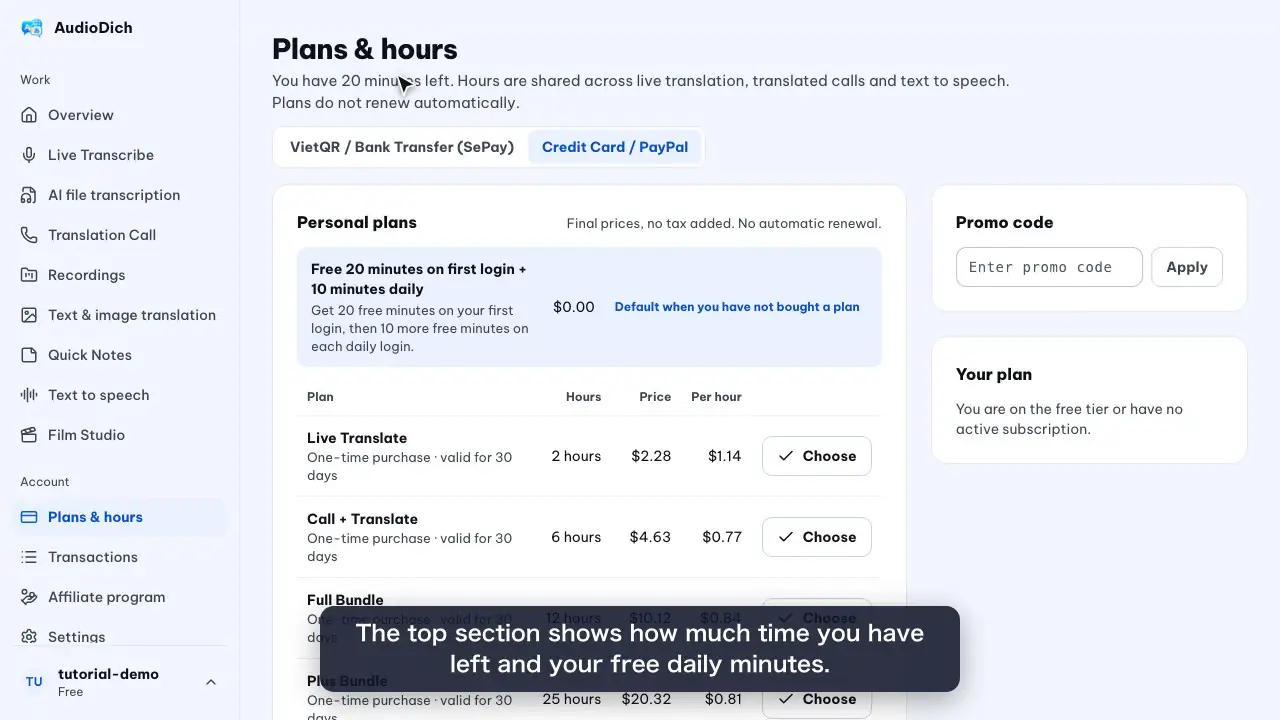
The top section shows how much time you have left and your free daily minutes.
The top card shows how much time you have left. Hours are shared across live translation, translated calls and text to speech, so one balance covers all of them.
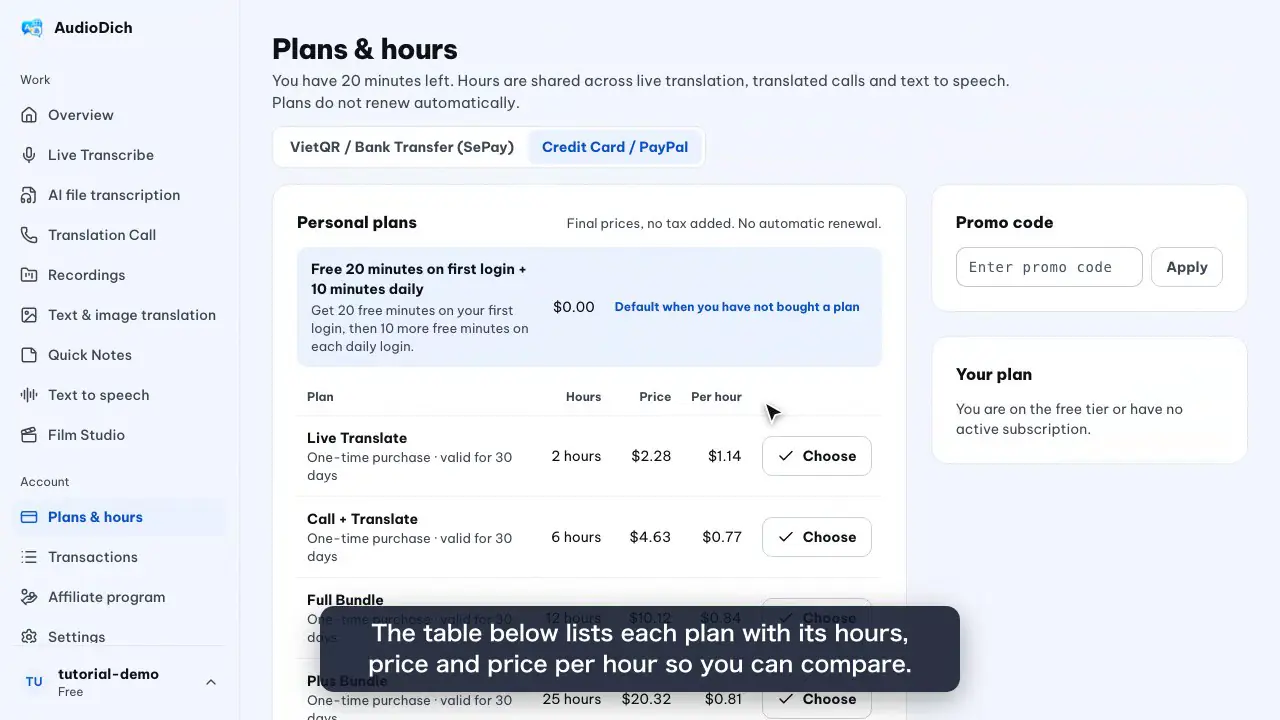
The table below lists each plan with its hours, price and price per hour so you can compare.
Each row of the table shows a package with its hours, its price and the price per hour. Compare the last column to find the cheapest hour for your usage.
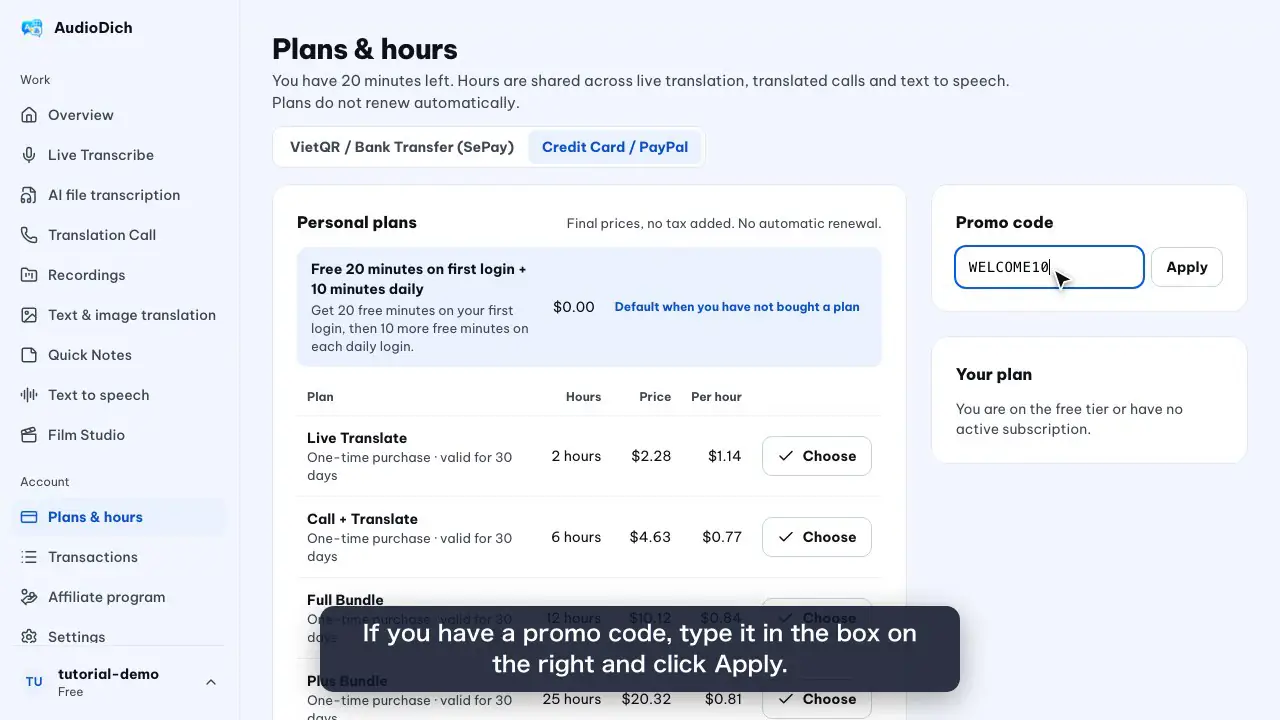
If you have a promo code, type it in the box on the right and click Apply.
Type your promo code into the box on the right and click Apply. The discount is shown before you confirm any order.
Tips
- Prices are final and no tax is added on top. Packages do not renew automatically, so nothing is charged again when the period ends.
- One-time hours never expire. Each monthly plan purchase lasts 30 days; if you renew before the expiry date shown on the page, your unused hours roll over to the next period and are kept for up to 60 days, and if you don't renew they expire with the last period.
- You can choose between VietQR or bank transfer (SePay) and credit card or PayPal with the switch above the table.
- Free minutes, such as the first-login gift and the daily 10 minutes, are the default when you have not bought a plan.
Common problems
- My promo code is not accepted.
- Check that you typed it exactly, without spaces, and that it has not expired. A message under the box explains why a code was refused.
- I bought a package but the hours look unchanged.
- Open Transactions to see whether the payment is still waiting. The balance updates as soon as the payment is confirmed.
- I cannot find a cheaper hour price.
- Larger packages usually cost less per hour. Compare the last column of the table, and check whether an organization package fits a team better.
Frequently asked questions
Do my hours renew every month?
No. Plans do not renew automatically. One-time hours never expire. Each monthly plan purchase lasts 30 days: unused hours roll over to the next period when you renew, kept for up to 60 days; if you don't renew, they expire with the last period.
What can I spend my hours on?
Live translation, translated calls and text to speech draw from the same balance shown at the top of the page.
Is tax added at checkout?
No. The prices shown are final and no tax is added.
Can I use a promo code on any package?
Enter the code before you choose a package; the page shows the discounted amount when the code applies to it.
Video transcript
Open Plans & hours in the left sidebar. The top section shows how much time you have left and your free daily minutes. The table below lists each plan with its hours, price and price per hour so you can compare. If you have a promo code, type it in the box on the right and click Apply.