

- Back to the guide
- Video tutorials
- Get started with AudioDich
Get started with AudioDich
Sign in, check your remaining time and open live translation in a few steps.
This tutorial is for anyone opening AudioDich for the first time. In under a minute you sign in, see how much time you have left, and reach Live Transcribe, the screen where every live translation session starts.
Steps
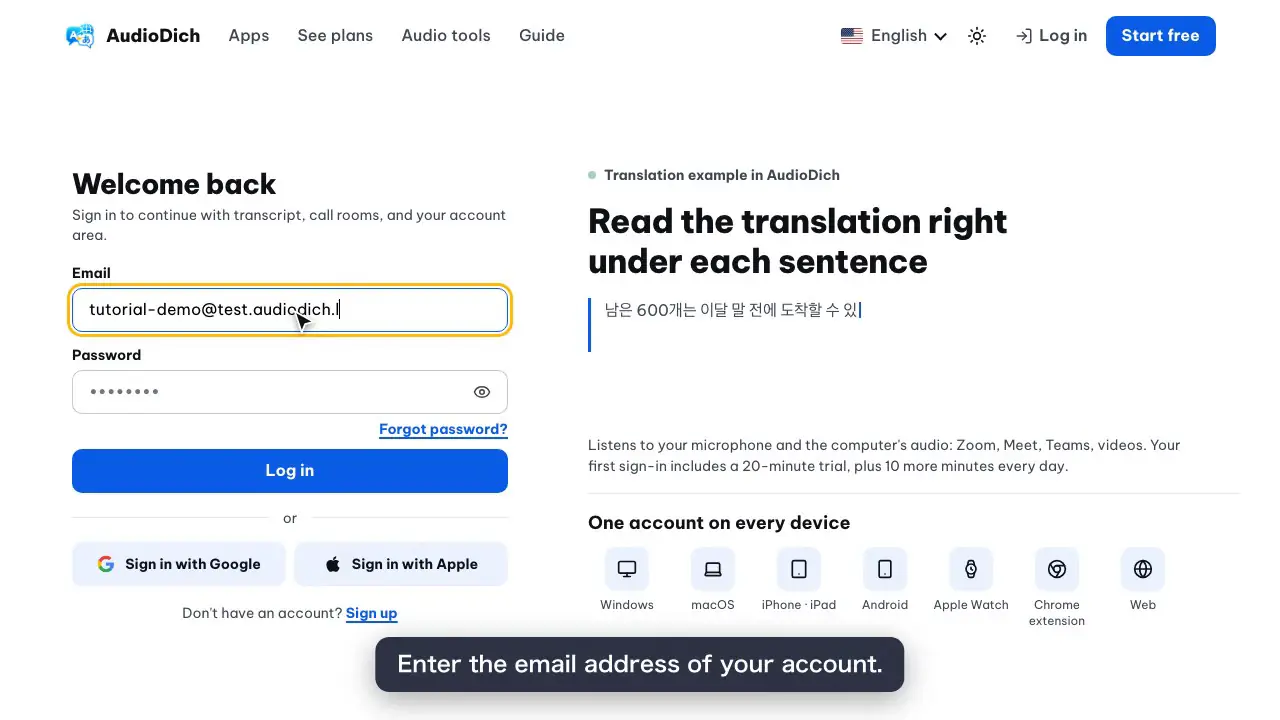
Enter the email address of your account.
Open the sign-in page and type the email address you registered with. If you created your account with Google or Apple, use the matching button below the form instead.
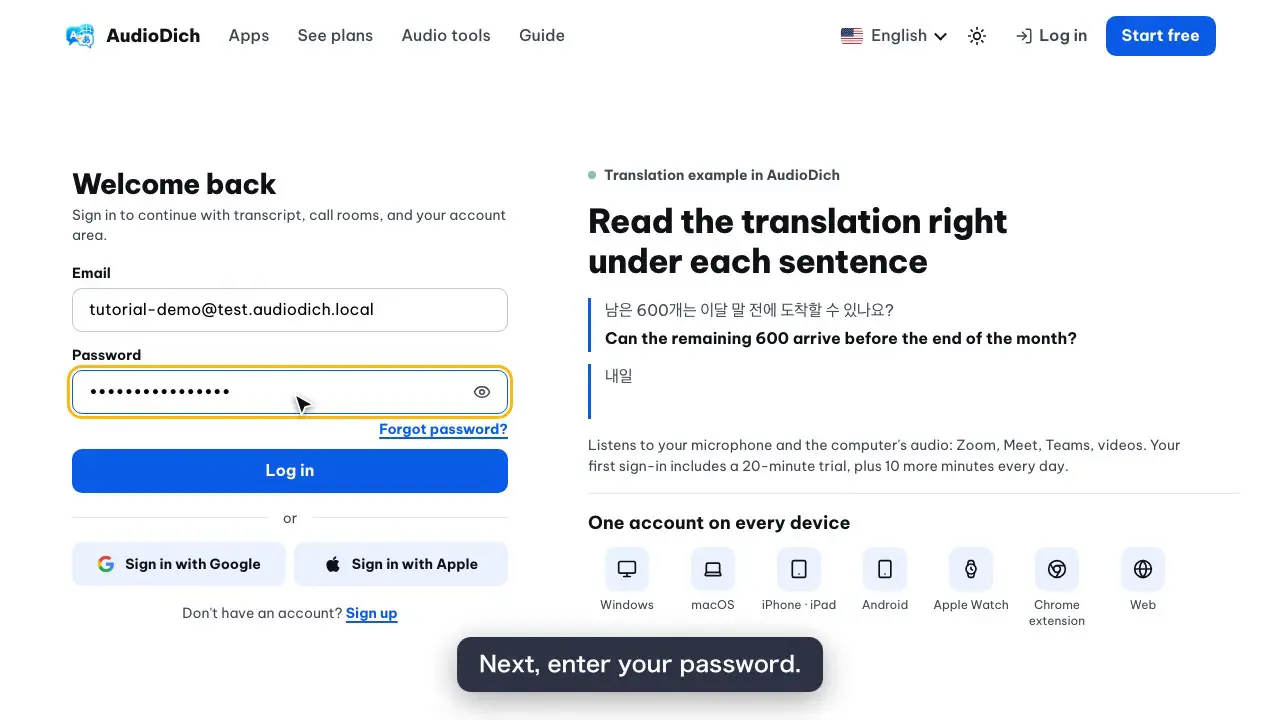
Next, enter your password.
Type your password in the next field. The eye icon at the end of the field lets you check what you typed before you continue.
Click Log in to open your dashboard.
Click the sign-in button. AudioDich opens your dashboard, the overview page that is the starting point for every tool.
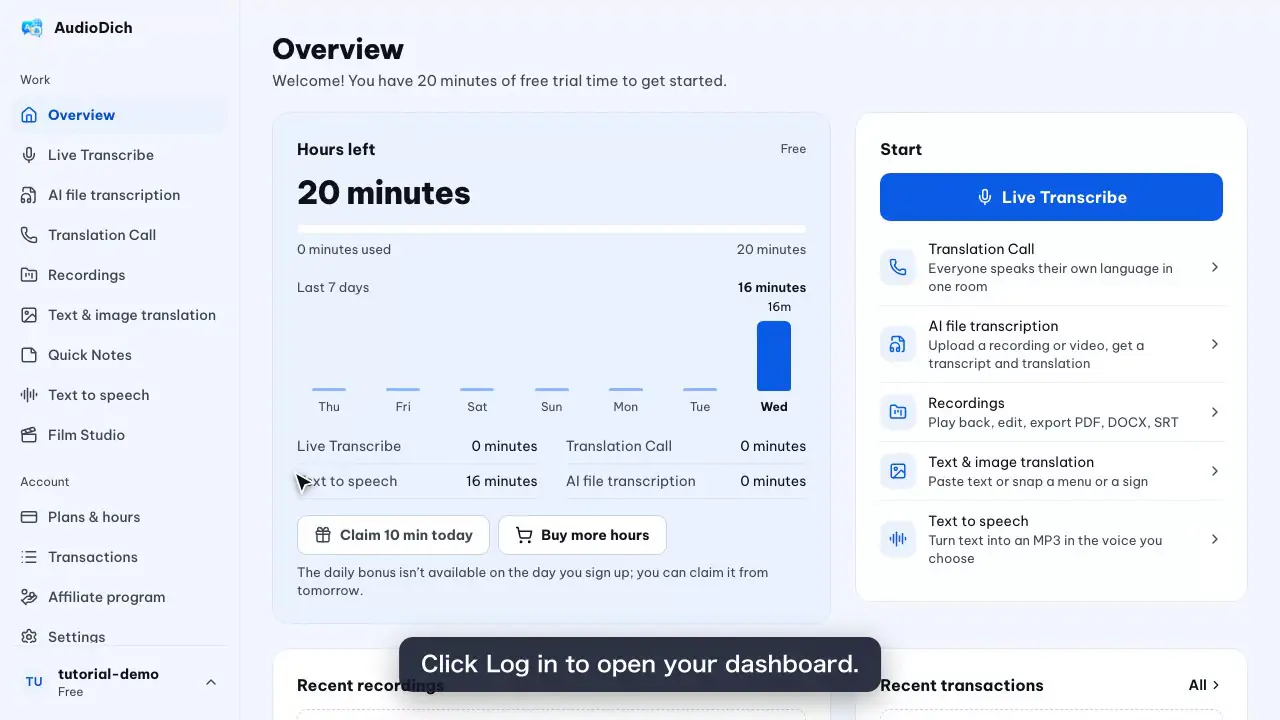
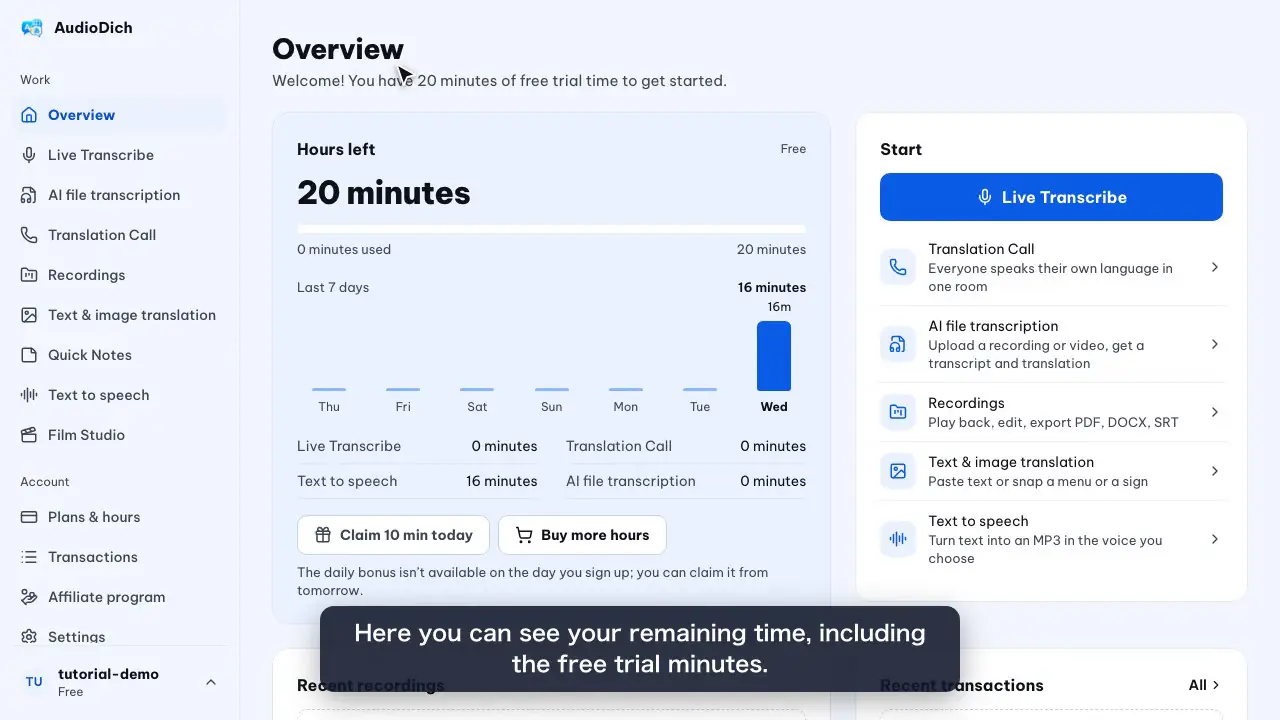
Here you can see your remaining time, including the free trial minutes.
The overview shows how much time you have left. A new account starts with free trial minutes, and you can claim 10 more free minutes each day.
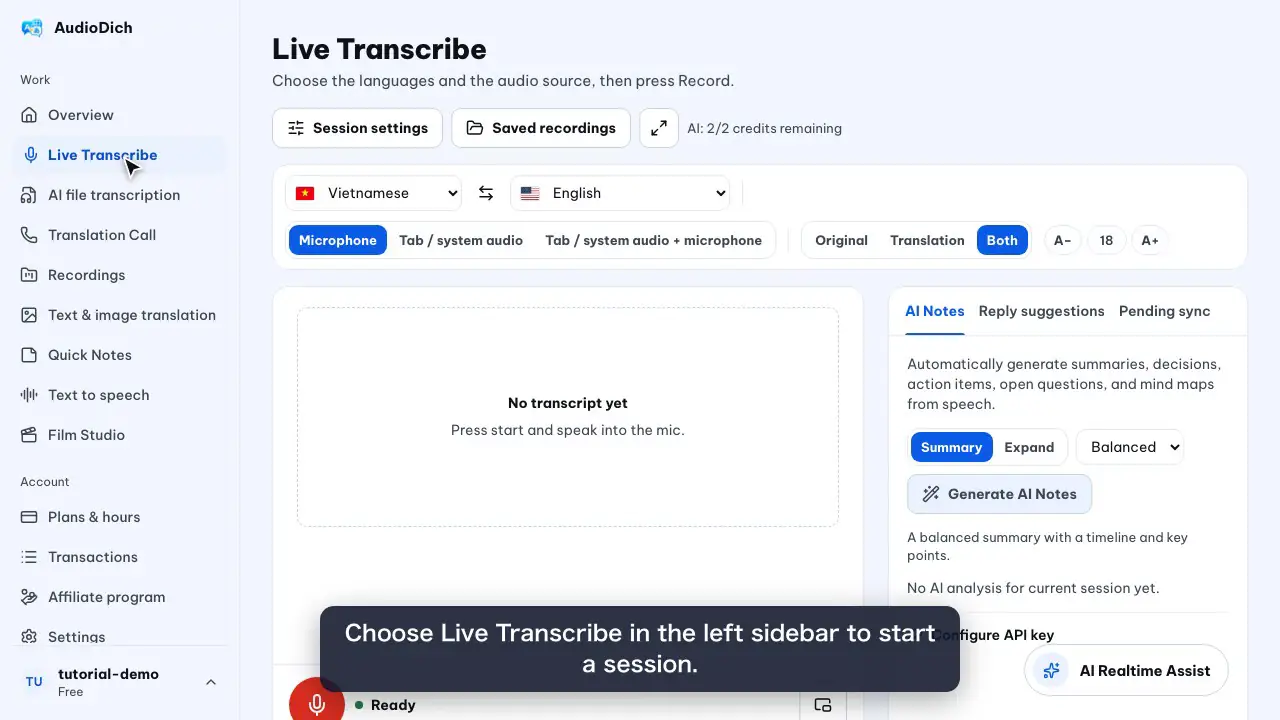
Choose Live Transcribe in the left sidebar to start a session.
Click Live Transcribe in the left sidebar. This is where you choose languages and start a session; the next tutorials explain it in detail.
Tips
- A new account receives 20 free minutes on the first login. From the next day you can claim 10 more free minutes with the daily button.
- Daily bonus minutes expire after 10 days and the daily claim resets at 00:00 Vietnam time, so claim it on each day you plan to use AudioDich.
- One account works on the web, desktop apps, iOS, Android and the Chrome extension, so you can start on one device and continue on another.
Common problems
- I forgot my password.
- Use the forgot-password link under the password field, enter your email and follow the message AudioDich sends you to set a new one.
- I signed in but cannot see my free minutes.
- Look at the time card at the top of the overview. If the daily button is greyed out, you either claimed today already or you registered today and it unlocks tomorrow.
- The sign-in form rejects my details.
- Check the email for typos and remember that passwords are case sensitive. If it still fails, write to support from the Support page.
Frequently asked questions
Is AudioDich free to try?
Yes. New accounts get free trial minutes on the first login and 10 more free minutes every day, so you can test live translation before you buy a plan.
Do I need to install anything?
No. The web version runs in your browser. The desktop, mobile and Chrome extension apps are optional and are listed on the download page.
Which browser should I use?
Chrome or Edge on a computer is the best choice, because capturing the audio of a browser tab or of another app only works there. Microphone sessions do not have this restriction.
Video transcript
Welcome to AudioDich. This video shows how to sign in and get to know the main screen. Enter the email address of your account. Next, enter your password. Click Log in to open your dashboard. Here you can see your remaining time, including the free trial minutes. Choose Live Transcribe in the left sidebar to start a session.