

- Back to the guide
- Video tutorials
- Account settings
Account settings
See synced settings, your subscription, API keys and change the interface language.
This tutorial is for anyone who wants to tune AudioDich to how they work. You will see where your synced preferences, subscription, API keys and interface language live. Everything is on one page, so you can scroll from top to bottom or jump to a section from the menu.
Steps
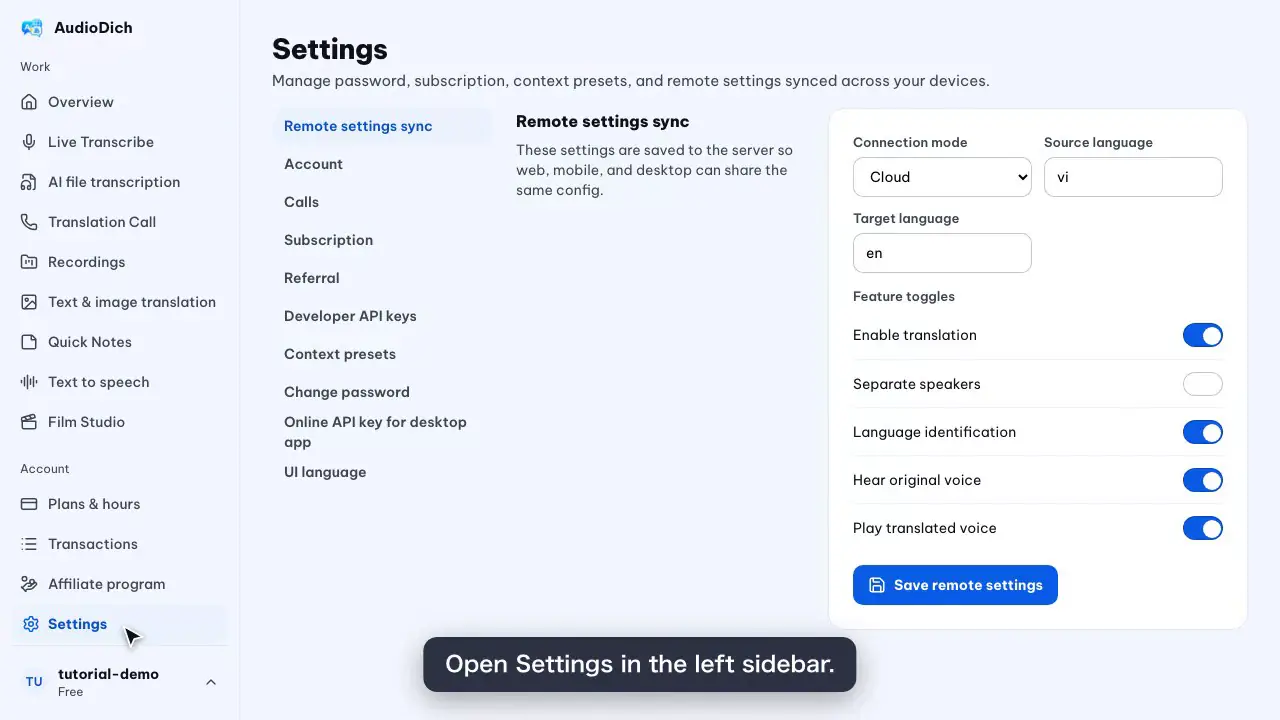
Open Settings in the left sidebar.
Click Settings in the left sidebar. The sections are listed in a menu on the page.
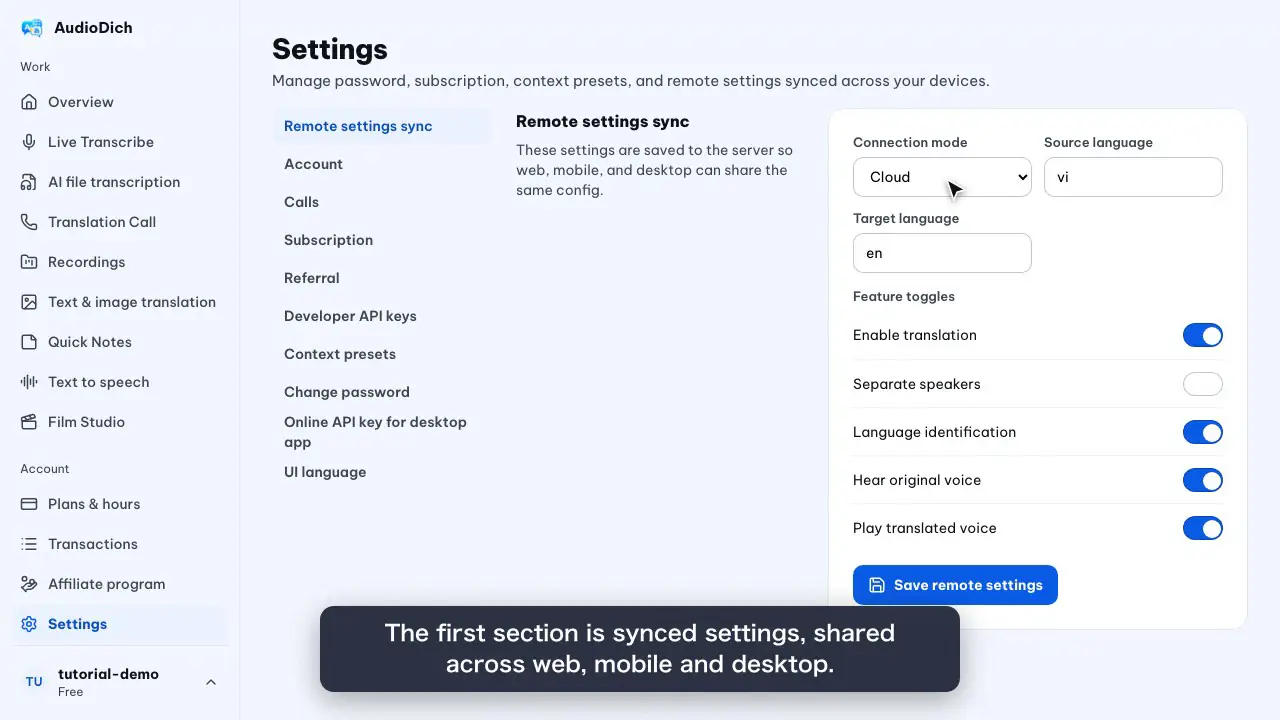
The first section is synced settings, shared across web, mobile and desktop.
The first section holds synced settings. These are shared across the web, mobile and desktop apps, so you set them once.
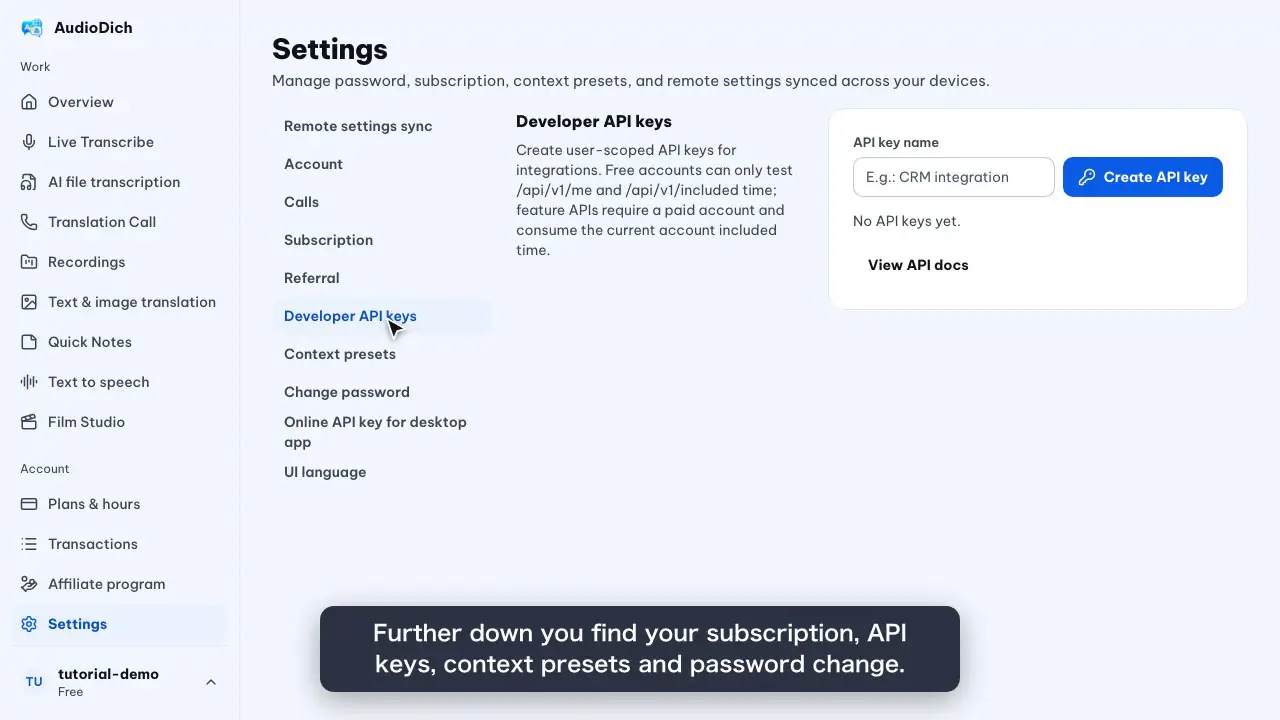
Further down you find your subscription, API keys, context presets and password change.
Scroll on to find your subscription, API keys, context presets and the password change form.
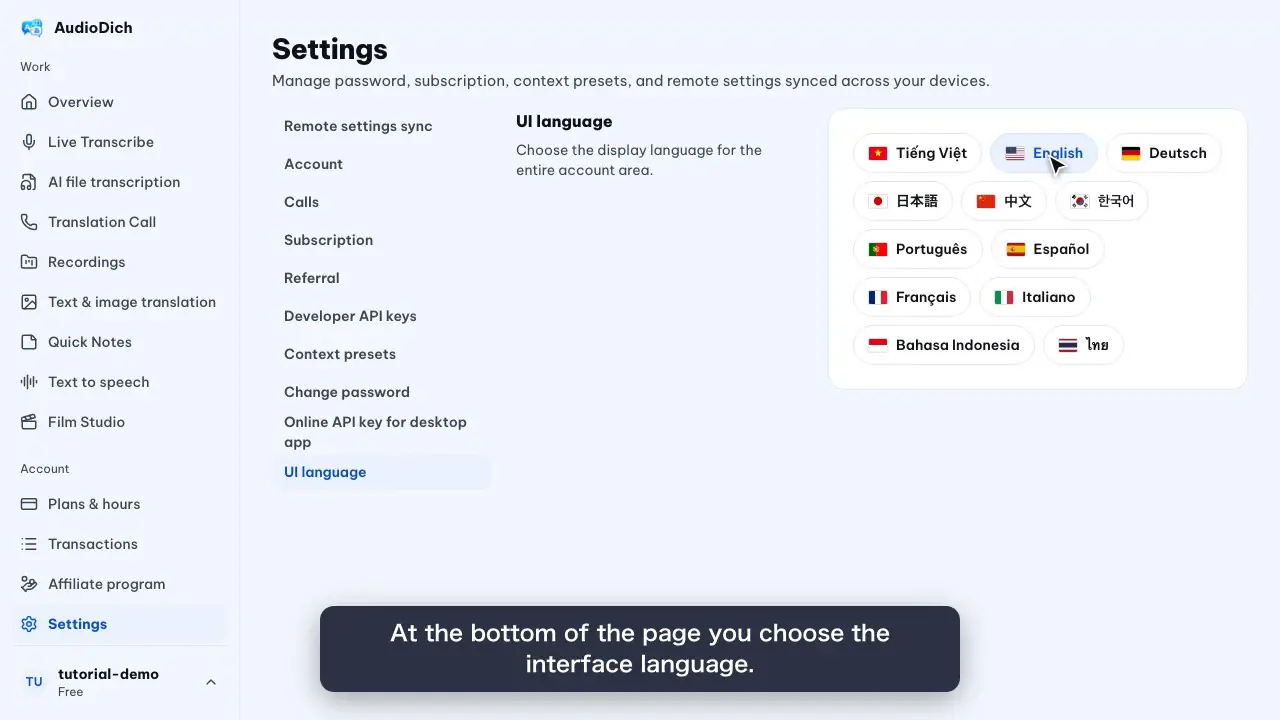
At the bottom of the page you choose the interface language.
At the bottom of the page you choose the interface language. The dashboard switches immediately.
Tips
- Synced settings follow your account, so a change made on the web also appears on the other apps after they sync.
- Treat API keys like passwords. Create one only for the tool that needs it and remove it when it is no longer used.
- Context presets let you describe the topic of your meetings so recognition suits your vocabulary.
- Changing the interface language only changes the dashboard. The spoken and translation languages are chosen in each session.
- Visit Settings before your first live session. Choosing the interface language and checking the synced settings takes under a minute and saves corrections later.
Common problems
- A setting did not carry over to my phone.
- Open the app again while online so it can sync, and make sure you are signed in to the same account.
- I need to change my password.
- Use the password section on this page, enter the current and the new password and save.
- The page is in the wrong language.
- Choose your language in the interface language section at the bottom of Settings.
Frequently asked questions
Where do I change the interface language?
At the bottom of the Settings page, in the interface language section.
Are my settings the same on every device?
Synced settings are shared across web, mobile and desktop. Some device-only options stay on the device.
Where can I see my subscription?
In the subscription section of Settings, and in more detail on Plans & hours.
What are API keys for?
They let your own tools call AudioDich on your behalf. Keep them private.
Video transcript
Open Settings in the left sidebar. The first section is synced settings, shared across web, mobile and desktop. Further down you find your subscription, API keys, context presets and password change. At the bottom of the page you choose the interface language.