

- Back to the guide
- Video tutorials
- Translate face-to-face conversations on your phone
Translate face-to-face conversations on your phone
Put the phone between two people: each speaks their own language and reads the translation right on the screen.
This tutorial is for people meeting a client or partner who speaks another language in person, for example when welcoming customers at a shop or on a business trip. Conversation mode splits the screen into two halves so each person reads the translation on their own side.
Steps
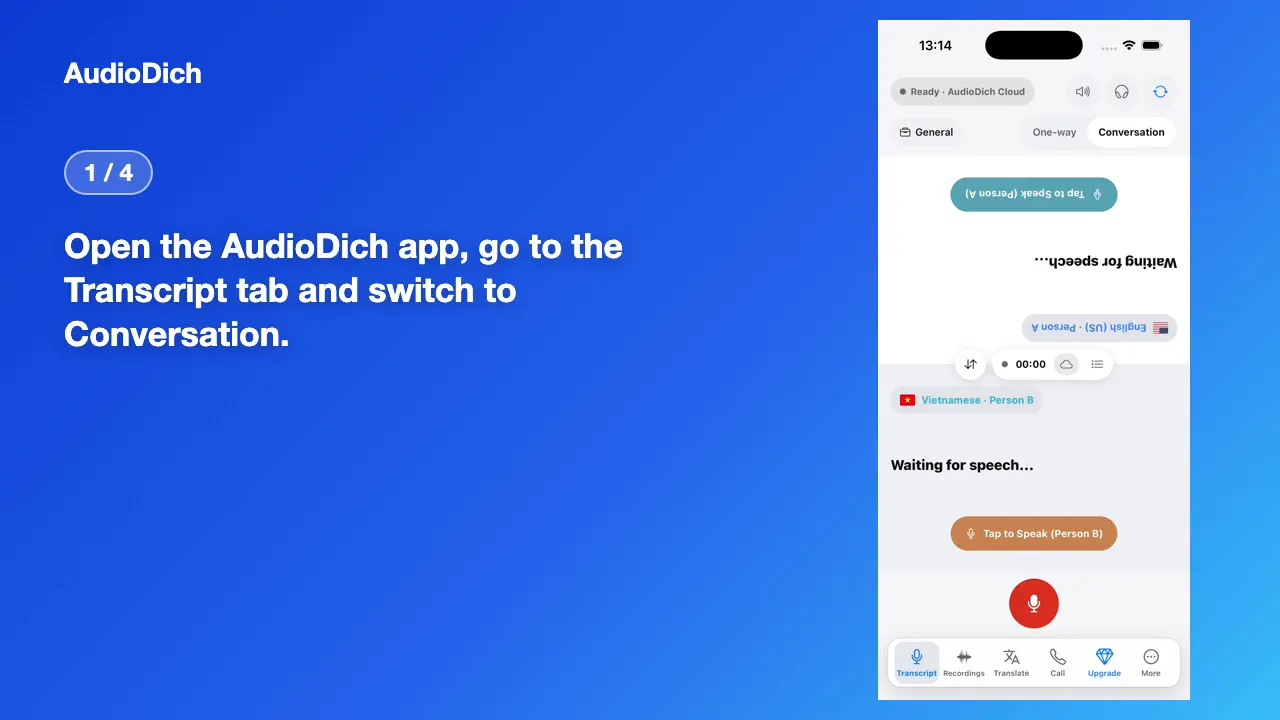
Open the AudioDich app, go to the Transcript tab and switch to Conversation.
Open the AudioDich app on your iPhone or Android, go to the Transcript tab and switch the toggle from One-way to Conversation.
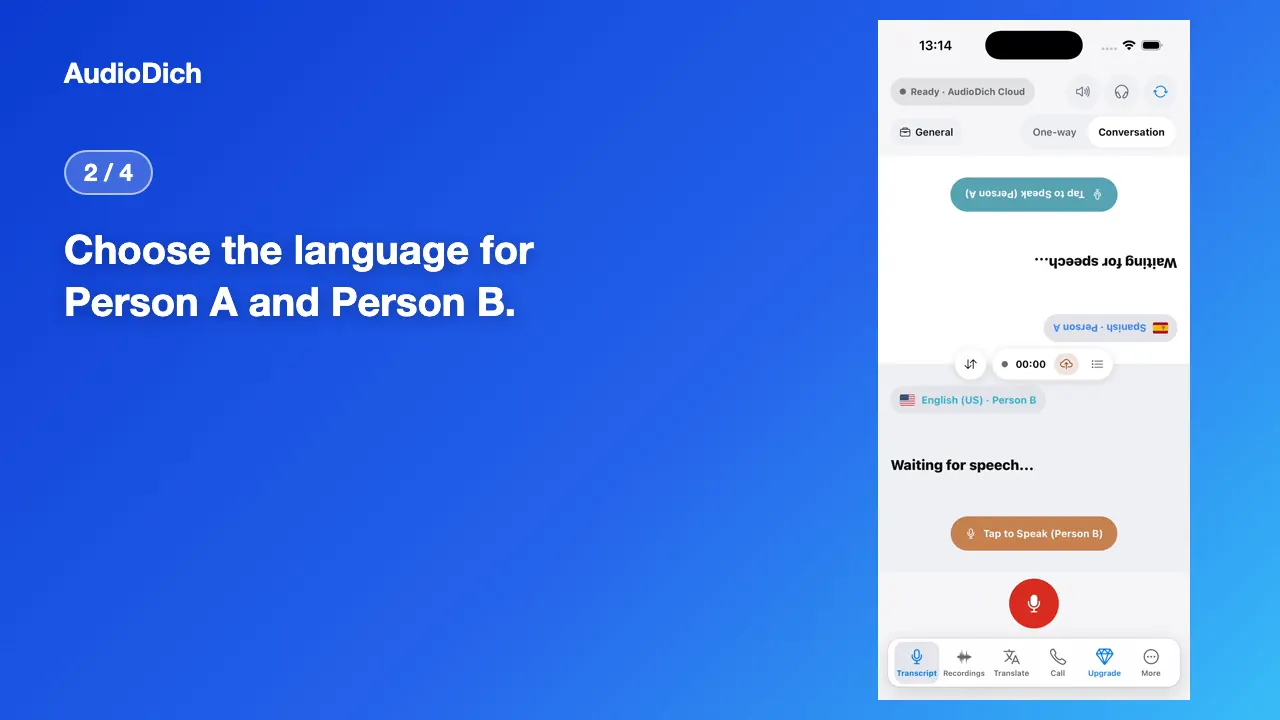
Choose the language for Person A and Person B.
Tap Person A's or Person B's language to choose what each person speaks. The two people must use two different languages.
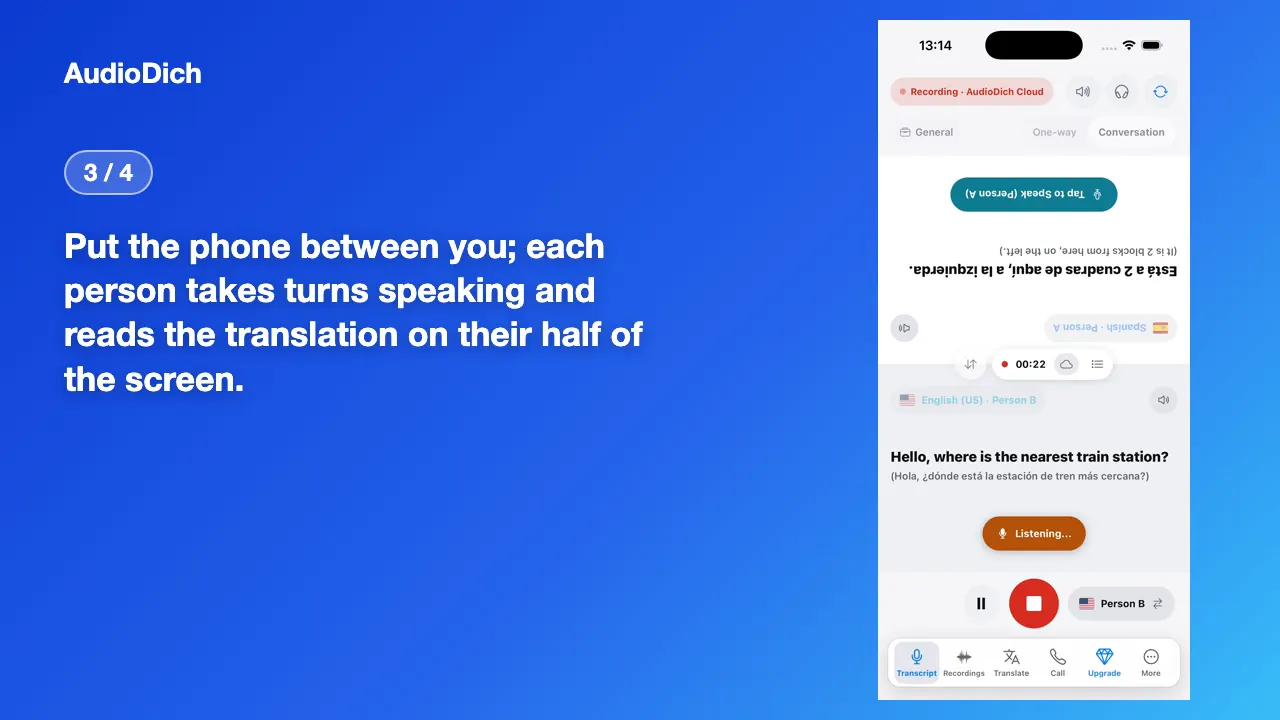
Put the phone between you; each person takes turns speaking and reads the translation on their half of the screen.
Put the phone between you. Person A's half of the screen is rotated 180° to face them; each turn shows the translation, with the original in brackets.
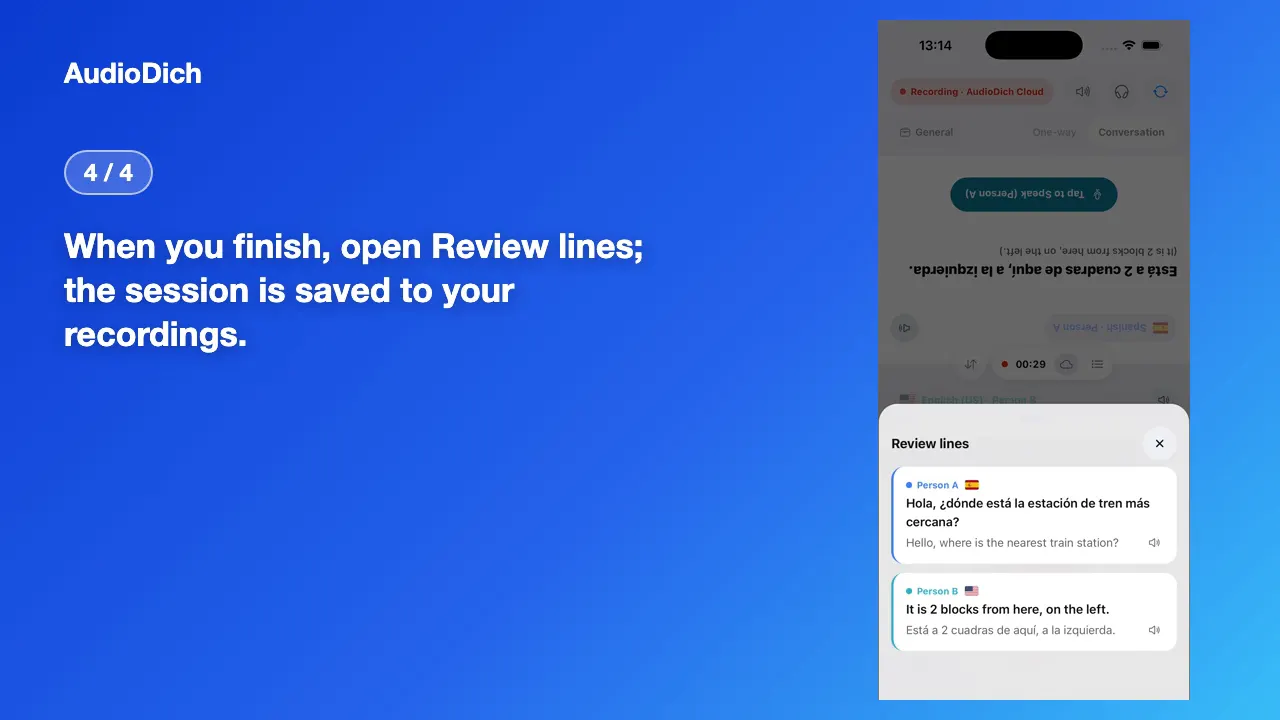
When you finish, open Review lines; the session is saved to your recordings.
When you are done, open Review lines to see each sentence by speaker. When you stop, the app saves the recording so you can look at it later.
Tips
- Speak in short sentences and wait for the translation to appear before the other person's turn.
- Tap the speaker button to play the translation to the person across from you instead of passing the phone back and forth.
- In a noisy place, hold the phone closer to whoever is speaking.
Common problems
- It says the two people must speak two different languages.
- Choose the languages for Person A and Person B again so they are different.
- The translation does not appear.
- Check the app's microphone permission and your network connection, then start the session again.
Frequently asked questions
Does the other person need to install the app?
No. You only need one phone with AudioDich placed between the two of you.
Does conversation mode use translation hours?
Yes. Translation time is deducted from your account's hours, just like live translation.
Can I review the conversation?
Yes. The session is saved as a recording, which you can review line by line for Person A and Person B.
Video transcript
Open the AudioDich app, go to the Transcript tab and switch to Conversation. Choose the language for Person A and Person B. Put the phone between you; each person takes turns speaking and reads the translation on their half of the screen. When you finish, open Review lines; the session is saved to your recordings.