

- Back to the guide
- Video tutorials
- Create a translation call room
Create a translation call room
Enter a name, pick a language and create a room to invite guests by code or link.
This tutorial is for hosts who want a two-way translated call with a guest who speaks another language. You create a room, then share a code or link; guests can join without an account.
Steps
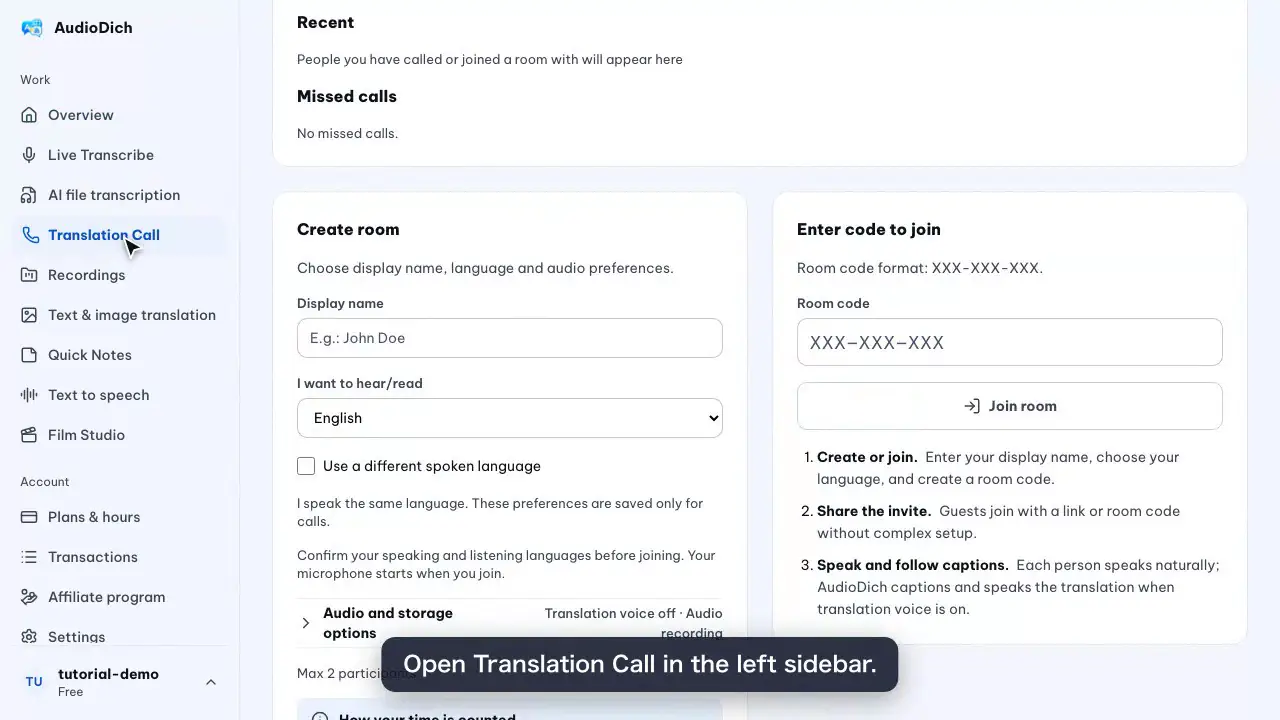
Open Translation Call in the left sidebar.
Click Translation Call in the left sidebar to open the call screen.
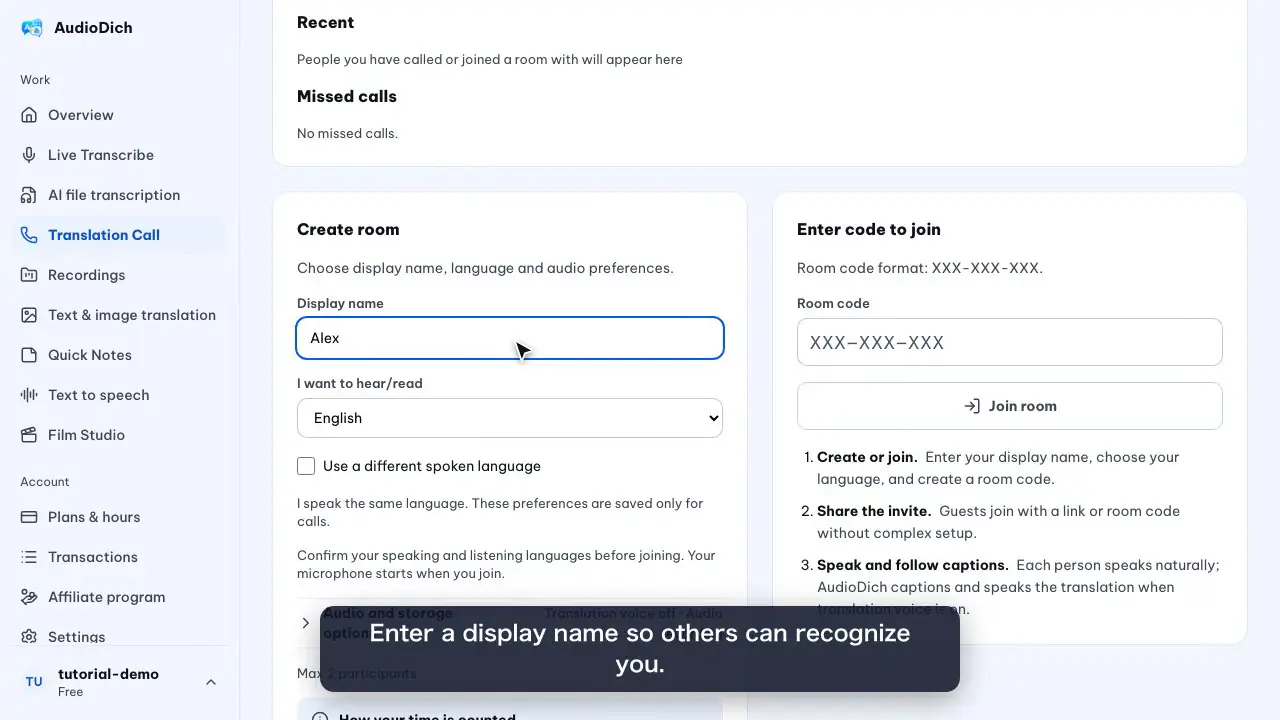
Enter a display name so others can recognize you.
Enter a display name so the other people in the room can recognize you.
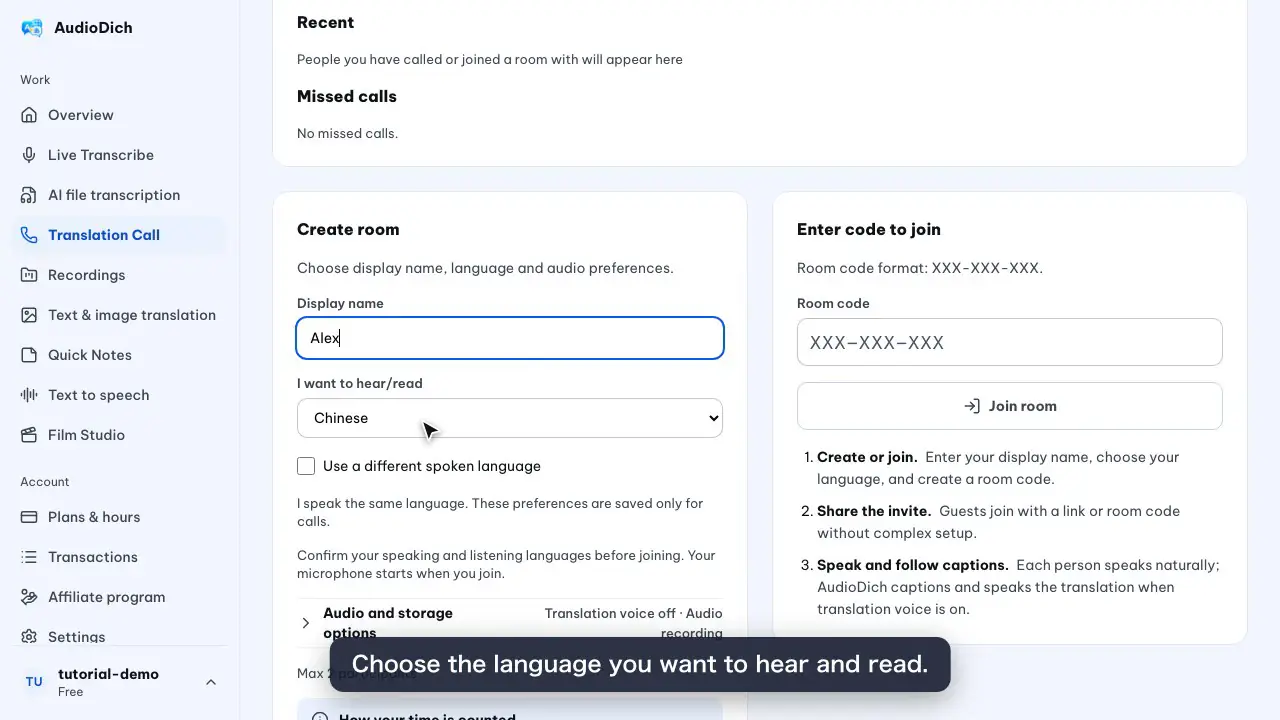
Choose the language you want to hear and read.
Choose the language you want to hear and read. Each person picks their own language.
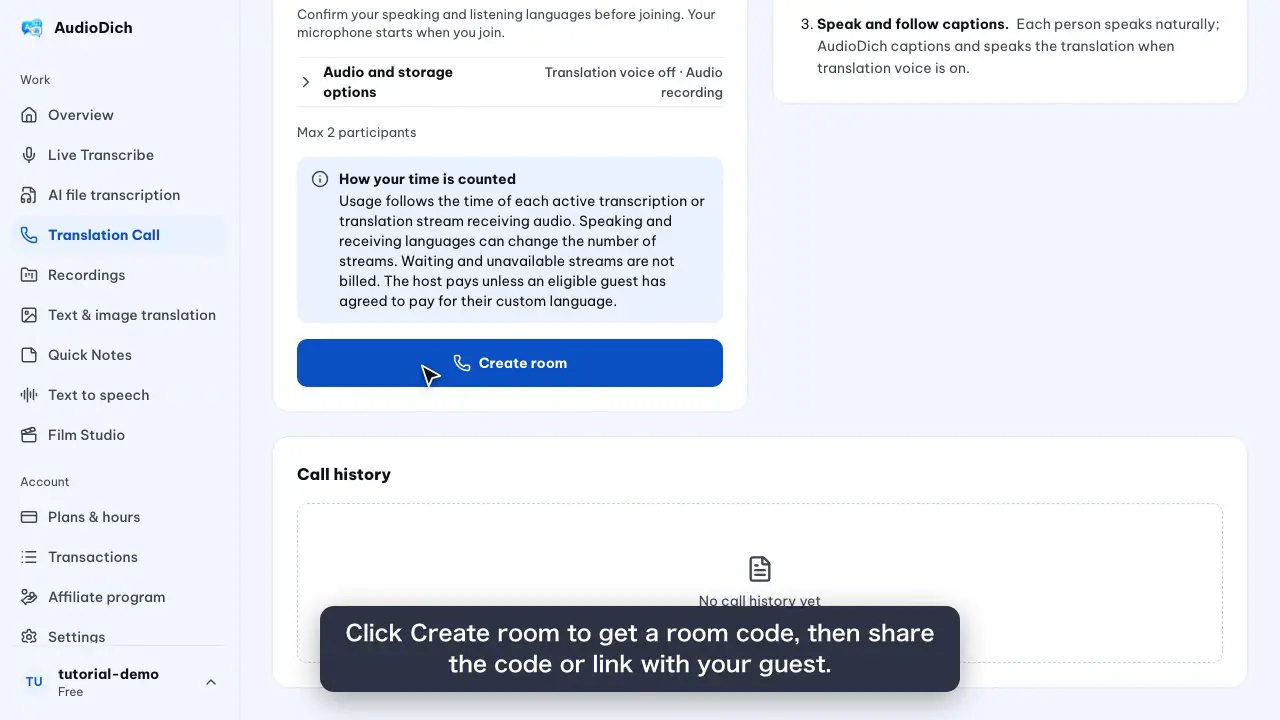
Click Create room to get a room code, then share the code or link with your guest.
Click Create room. AudioDich gives you a room code and a link, which you share with your guest.
Tips
- Guests can join with the link or the room code and do not need an account. Usage is billed to the host's plan.
- Allow microphone access when the browser asks. Without it nobody in the call can hear you, and the page warns you.
- The room creator can leave and keep the room open, or end the room for everyone, which also invalidates the invite links.
- With the cost-splitting option on, an eligible guest with their own account who picks a language nobody else needs can pay for that part themselves.
Common problems
- A guest cannot join the room.
- The code may be wrong, the room may be closed or it may be full. Create a new room or send the link again.
- Captions pause during the call.
- The connection is recovering. Captions return when it is back, and the original audio may keep working in the meantime.
- The call ended on its own.
- The account that pays ran out of time. Add time on Plans & hours to keep calling.
Frequently asked questions
Does my guest need an account?
No. Guests join with the link or the room code without complex setup.
Who pays for the minutes?
The host pays, unless the cost-splitting option is on and an eligible guest with their own account chooses a custom language.
Can I test a call alone?
Yes. Open two browser tabs or use two devices to try a translated call.
Can I turn off the spoken translation?
Yes. Captions work on their own, and the translated voice can be switched off.
Video transcript
Open Translation Call in the left sidebar. Enter a display name so others can recognize you. Choose the language you want to hear and read. Click Create room to get a room code, then share the code or link with your guest.
See it in a real situation
- Meet foreign clientsCatch the key points, ask the right follow-up and send a clear recap even if your language skills are limited.
- Two-way translated callsEach side speaks their own language and hears and reads the translation in one shared call room.
- Work with Japanese, Korean and Chinese clientsCall and meet East Asian partners with translated subtitles and spoken translation.